

Scenario 2: Misconfigured Service (Test)
Overview
The Online Boutique application in the test environment appears to be running — pods are up, no crashes — but the checkout flow is broken. Users can browse products and add items to their cart, but completing a purchase fails. A misconfigured service address is preventing the checkout service from reaching the payment service.
What you’ll learn:
- Investigate issues where pods are running but the application is not working correctly
- Trace service-to-service communication failures
- Inspect environment variables to find configuration mismatches
- Understand the difference between “running” and “healthy”
Difficulty: Intermediate Time required: 15-20 minutes
The Problem
What’s happening: User browses products (Frontend) -> Adds to cart (Cart Service) -> Attempts checkout (Checkout Service) -> Checkout tries to reach Payment Service (wrong endpoint) -> Checkout fails.
What you know:
- The
online-boutique-testenvironment was promoted from a recent build - All pods show
Runningstatus — nothing is crashing - Users can browse products and add items to cart
- Checkout fails with an error
What you need to find out:
- Which service in the checkout chain is failing?
- Why is it failing if the pod is running?
- What configuration is wrong?
Step 1: Open Workspace Chat
- Open the Sandbox workspace
- Go to Workspace Chat
- Describe the problem to the AI Assistant — for example: “Check the health of online-boutique-test” or “Is anything wrong in the test namespace?”
Unlike Scenario 1, the initial findings may look healthy at first glance. Pods are running, deployments are available. The issue is hidden inside the application’s runtime behavior — which is why describing the user-facing symptom in the next step is important.
Step 2: Describe the Symptom
Since the infrastructure looks healthy, describe the user-facing symptom rather than a specific Kubernetes state.
Sample Prompts
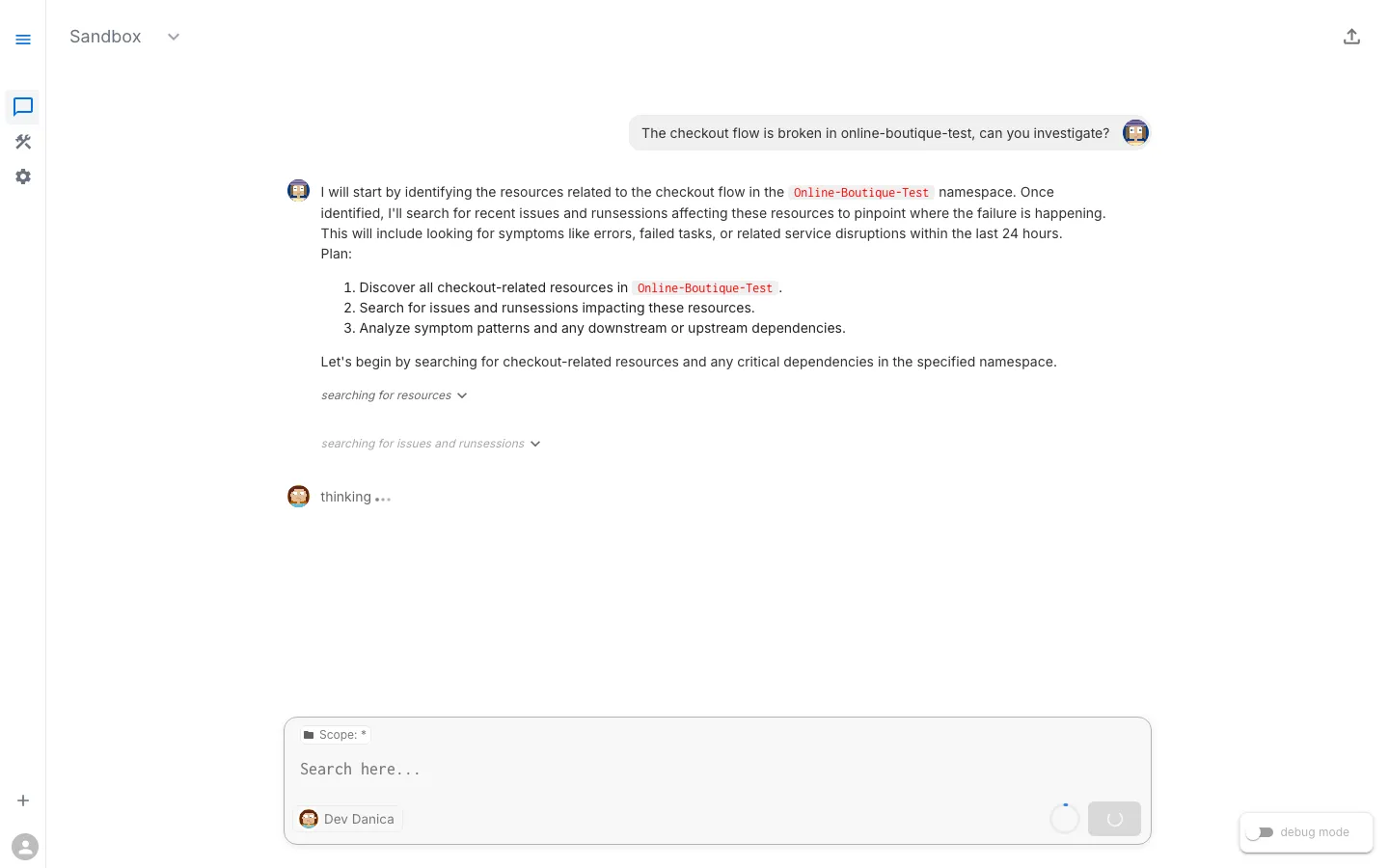
- “The checkout flow is broken in online-boutique-test”
- “Users are getting errors when they try to purchase items in the test environment”
- “Something is wrong with the online-boutique-test namespace — the app is not working correctly”
- “Check service connectivity in online-boutique-test”
What Happens Next
The AI Assistant may respond in one of two ways:
- Show existing Issues — If the platform has already detected problems (e.g., through background health checks or task runs), the assistant will surface these existing Issues with their findings, severity, and suggested next steps.
- Suggest diagnostic tasks to run — If no existing Issues cover the problem, the assistant will suggest tasks like checking pod status, inspecting logs, and reviewing events. You can run individual tasks or let the assistant run them together.
Either path leads to the same result: structured findings about what is wrong.
Typical Diagnostic Tasks
The assistant may suggest or reference results from tasks such as:
- Check Pod Status — Confirms pods are running (they are)
- Inspect Pod Logs — Looks for error messages in running containers
- Check Service Endpoints — Verifies services have healthy backends
- Inspect Environment Variables — Reviews configuration injected into pods
- Check Recent Events — Looks for warnings
Step 3: Review the Findings
Since pods are running, this investigation requires looking deeper than pod status.
Expected Findings
Finding 1: Pods Are Running (but that is not the whole story)
All 12 pods are in Running stateAll deployments show desired replica countNo CrashLoopBackOff detectedFinding 2: Application Logs Show Connection Errors
checkoutservice logs: error: failed to charge order: could not connect to paymentservice-v2:50051: dial tcp: lookup paymentservice-v2: no such hostFinding 3: Environment Variable Mismatch
Environment variable issue detected: Deployment: checkoutservice Variable: PAYMENT_SERVICE_ADDR Current value: "paymentservice-v2:50051" Expected: a valid service name (paymentservice-v2 does not exist)Note: The key insight is that the checkout service is configured with the wrong service address. The DNS name
paymentservice-v2does not exist — the actual service ispaymentservice.
Step 4: Analyze the Root Cause
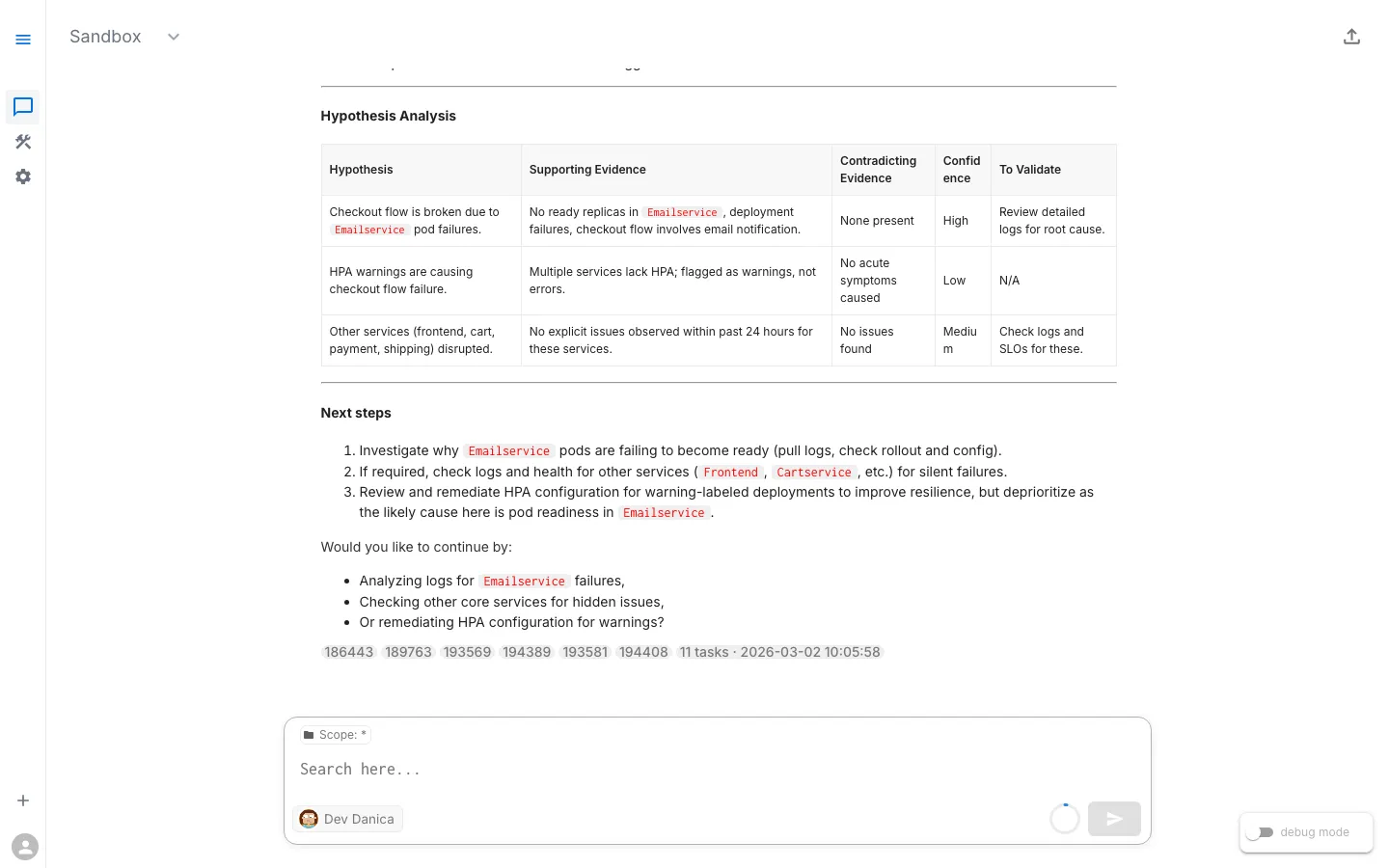
Analysis path: Symptoms (Checkout fails, pods healthy) -> Logs show connection error -> Wrong service address in environment variable -> Root Cause: Configuration error — wrong service endpoint in deployment spec.
What the Evidence Tells Us
| Signal | What It Means |
|---|---|
| Pods running | The container image and code are fine — this is not a code bug |
| Connection error in logs | A service is trying to reach another service at a wrong address |
| DNS lookup failure | The hostname paymentservice-v2 does not resolve — no such Kubernetes Service exists |
| Only checkout affected | Other services communicate fine; only the checkout-to-payment path is broken |
Root Cause
The checkoutservice deployment has the environment variable PAYMENT_SERVICE_ADDR set to paymentservice-v2:50051. There is no Kubernetes Service named paymentservice-v2 in the namespace — the correct service name is paymentservice. When checkoutservice tries to process a payment during checkout, the DNS lookup fails and the order cannot be completed.
This commonly happens when:
- Environment-specific configs are copy-pasted with leftover values from a migration
- A service was renamed but not all references were updated
- A promotion from one environment to another carried an incorrect endpoint
Step 5: Ask for Remediation Guidance
Sample Follow-Up Prompts
- “How do I fix the payment service address in checkoutservice?”
- “What should PAYMENT_SERVICE_ADDR be set to?”
- “Fix the configuration in online-boutique-test”
The Fix
The fix involves correcting the environment variable in the checkoutservice deployment to point to the actual service name:
Corrected Configuration:
env: - name: PAYMENT_SERVICE_ADDR value: "paymentservice:50051"Since this environment is managed via GitOps (Flux), the proper fix is to correct the value in the demo-sandbox-online-boutique repository on the test branch. Flux will automatically reconcile the change.
For an immediate fix, you can patch the deployment directly:
kubectl set env deployment/checkoutservice PAYMENT_SERVICE_ADDR=paymentservice:50051 -n online-boutique-testAfter patching, the checkoutservice pod will restart with the corrected address.
Step 6: Verify the Fix
Ask the AI Assistant to Verify
- “Is the checkout flow working now in online-boutique-test?”
- “Check if checkoutservice can reach paymentservice”
- “Are there still connection errors in the logs?”
Success Criteria
- Checkout service logs show successful payment calls
- No “no such host” or “connection refused” errors in logs
- All pods still running
- End-to-end checkout flow completes successfully
What You Learned
Key Takeaways
- Running does not mean healthy. Pods in
Runningstate can still have functional failures. Always check application logs, not just pod status. - Configuration issues are sneaky. They do not cause crashes — they cause incorrect behavior at runtime. Look for connection errors, wrong endpoints, and DNS failures in logs.
- Environment variables are common culprits. When services cannot communicate, check how they discover each other — environment variables, ConfigMaps, and DNS entries.
- Describe the symptom, not the guess. When you told the AI Assistant “checkout is broken” instead of a specific Kubernetes state, it investigated logs, configs, and events — not just pod status.
Troubleshooting Pattern: Configuration Issues
The pattern: App errors but pods running -> Check logs for connection/config errors -> Wrong address or value? -> If yes: Fix env var or ConfigMap. If no: Check Secrets / Network Policies.
Comparing Scenarios 1 and 2
| Scenario 1: Code Error | Scenario 2: Config Error | |
|---|---|---|
| Pod status | CrashLoopBackOff | Running |
| Where the error shows | Container exit code + startup logs | Runtime logs during specific operations |
| Root cause | Bug in code | Wrong value in configuration |
| Fix location | Application source code | Kubernetes deployment env var |
| Detection difficulty | Easy (pod is clearly broken) | Moderate (pod looks healthy) |
Next Steps
Ready for the most challenging scenario? In Production, the application and configuration are both correct — but the checkout service is crashing under load due to a database connection pool issue.
-> Next: Scenario 3: Database Connection Failure (Prod)
View Live Chat Export: Scenario 2 — Misconfigured Service (Test) — View the full AI conversation, diagnostics, and findings