

Secrets
Tasks need credentials to interact with your infrastructure — kubeconfigs, API tokens, service account keys, and other sensitive data. RunWhen supports two complementary approaches to secret management, and most deployments use both.
Where Secrets Live
1. Local Secrets (Most Common)
The majority of secrets are stored and mounted locally in the RunWhen Local / runner environment — typically as Kubernetes secrets in the cluster where the runner is deployed. These secrets are:
- Managed by your existing secret management tooling (e.g., Kubernetes Secrets, External Secrets Operator, sealed-secrets)
- Mounted directly into worker pods at runtime
- Never sent to or stored on the RunWhen platform — they stay entirely within your network
This is the recommended approach for sensitive credentials like kubeconfigs and cloud provider service accounts. The RunWhen platform orchestrates which tasks to run, but the runner and workers access secrets locally.
2. Platform Vault Secrets
Customers can also store secrets in the RunWhen platform’s HashiCorp Vault. These are useful for:
- Secrets that need to be shared across multiple runner environments
- Credentials managed centrally by a platform team
- Scenarios where local secret mounting is not practical
Platform vault secrets are managed through the Workspace Configuration > Secrets UI and follow the write-only model described below.
Common Use Cases
- Kubernetes access — kubeconfig for clusters (typically mounted locally)
- Cloud provider credentials — GCP service accounts, AWS IAM keys
- Monitoring integrations — API tokens for Datadog, Prometheus, or other observability platforms
- Git access — tokens for private CodeCollection repositories
- Platform API access — RunWhen service account credentials
Managing Secrets
Secrets are managed under Workspace Configuration > Secrets.
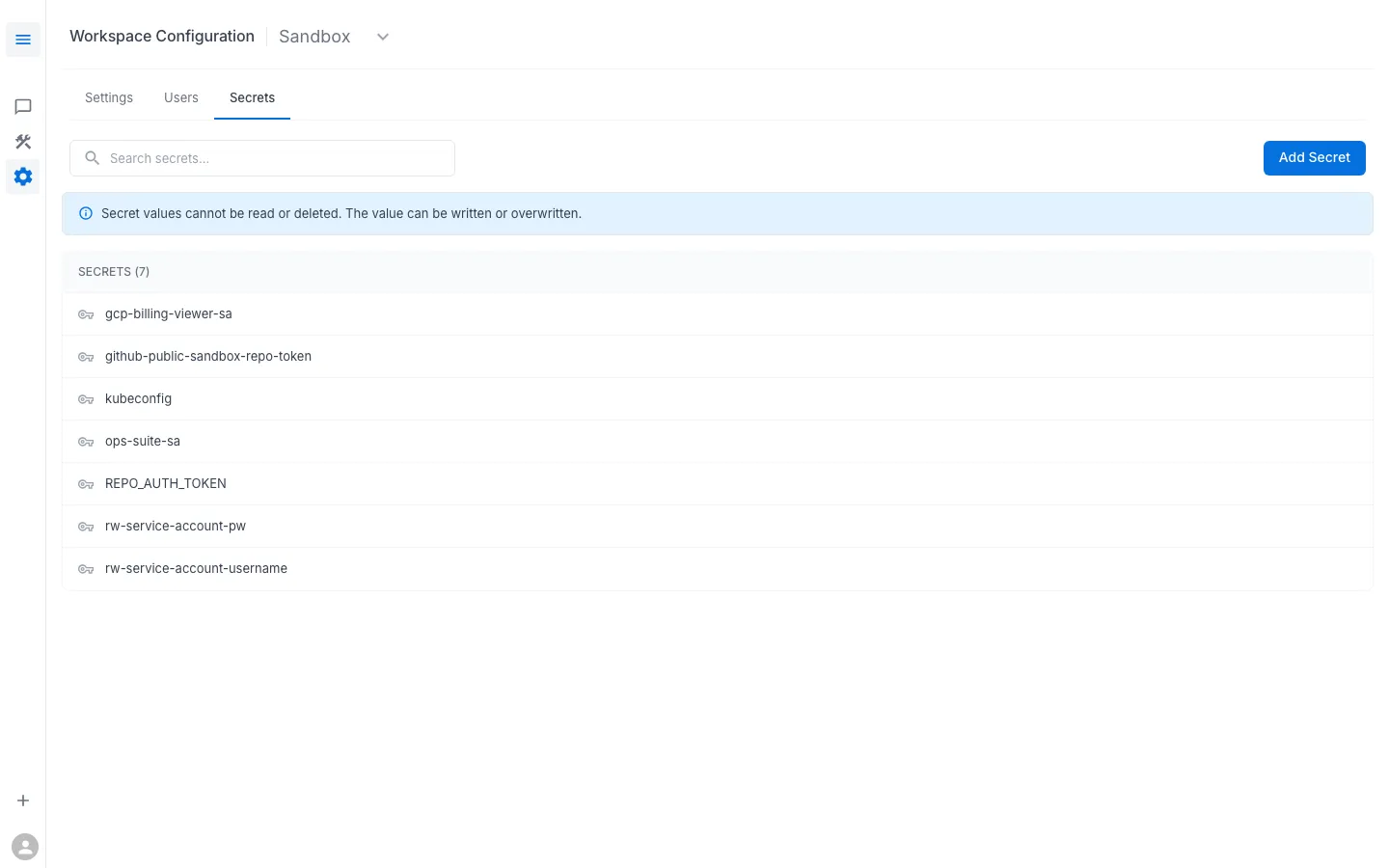
Key behaviors:
- Write-only — you can create and overwrite secrets, but you cannot read their values back. The UI shows secret names only.
- Key-value pairs — each secret has a
key(the name that tasks reference) and avalue(the credential data). Values can be any string: YAML, JSON, plain text, base64-encoded binary. - Overwrite to update — to change a secret’s value, create a new secret with the same key name. The old value is replaced.
How RunWhen Handles Secrets
The platform uses HashiCorp Vault with strict policy separation:
Platform Components (Cannot Read Secrets)
Core RunWhen components can create, update, and list secrets, but cannot read secret values:
# Platform component policypath "workspaces/data/*" { capabilities = ["create", "update"]}path "workspaces/metadata/*" { capabilities = ["list"]}Task Workers (Read Access Only for Their Workspace)
Worker pods that execute tasks are granted read access scoped to their workspace only:
# Per-workspace worker policypath "workspaces/data/{{workspace}}/*" { capabilities = ["read"]}path "workspaces/metadata/{{workspace}}/*" { capabilities = ["list"]}This means:
- Only the task code running inside a worker can read secret values
- Secret values never pass through the RunWhen platform API
- Workers can only access secrets for the workspace they belong to
Best Practices
- Use descriptive, consistent key names (e.g.,
kubeconfig,gcp-billing-viewer-sa,ops-suite-sa) - Rotate secrets on a regular schedule by overwriting them with new values
- Use the minimum permissions necessary — for example, a read-only service account for monitoring tasks
- If a secret is shared across multiple tasks, use a single secret key rather than duplicating the credential