
Add the RunWhen (Beta) app to your Slack workspace.
To add the RunWhen (Beta) app to your slack workspace, click the button below
Click the button at this link.

Connecting Slack to a RunWhen Workspace
-
Type
/runwhen workspacesfrom Slack in order to start the process.
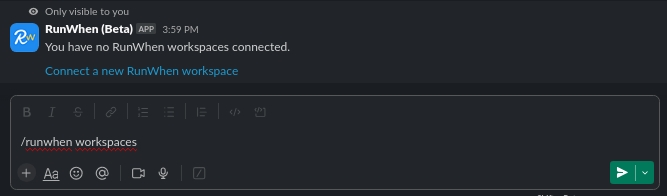
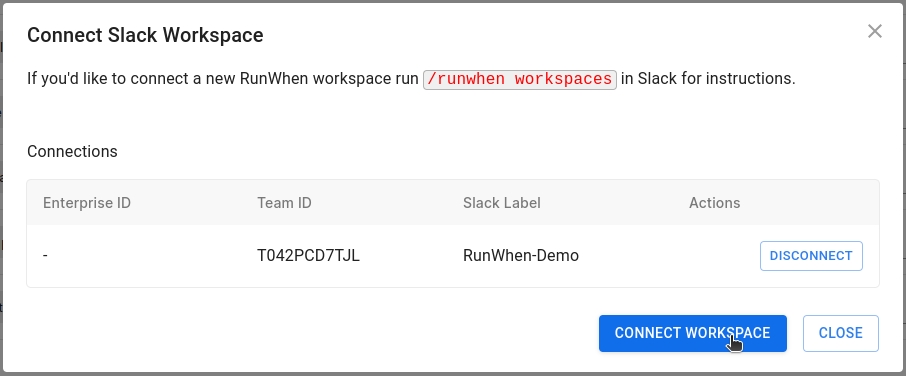
Select Connect a new RunWhen workspace and Select the icon next to the desired workspace

-
Select Connect Workspace
Adding Slack to a Channel
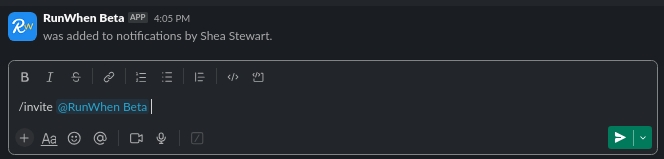
The RunWhen Slackbot user can be added to any channel with an invite. Simply type /invite @RunWhen Beta in the desired channel. Doing so will allow the RunWhen Slack app to post updates in any channel that it is invited to.
Starting a RunSession from Slack