
Test out the RunWhen Platform in our Sandbox with a live, interactive public Workspace. Don't worry... you can't break anything (we think).

When you first create an account, you immediately have access to the Sandbox workspace. This Workspace is set up to explore and troubleshoot common issues with the Online Boutique microservices application, along with supporting cloud and CI/CD resources.
To get started:
-
Log in at https://app.beta.runwhen.com
-
Open the Sandbox workspace
-
Start a new Workspace Chat session and ask Eager Edgar a question
No CLI, no credentials, no setup. Just ask.
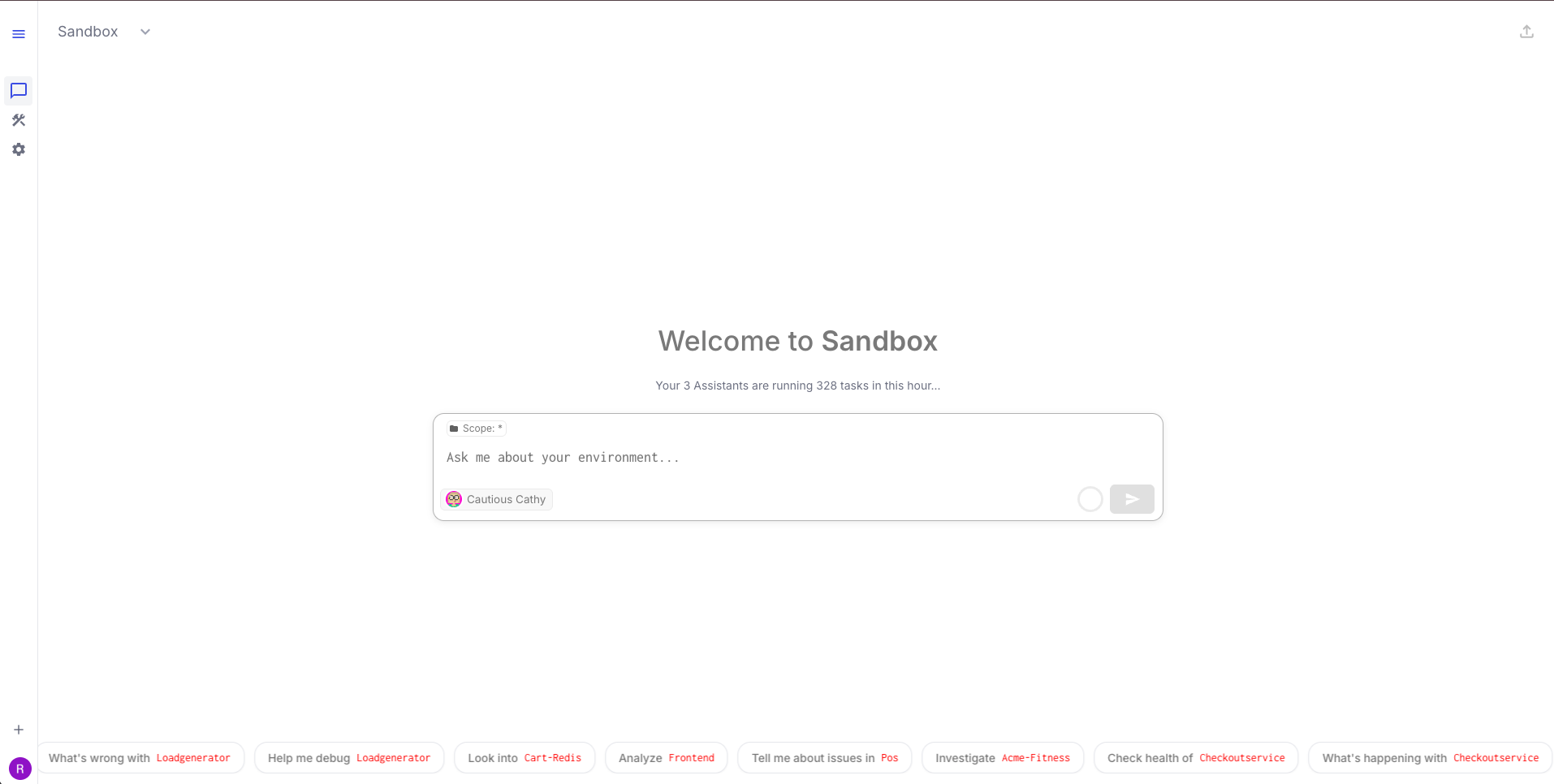
Want to Get Going Without All the Reading? Try These Prompts
You don't need to read a single tutorial to start exploring. Open a Workspace Chat in the Sandbox workspace, paste any of these prompts, and see what happens.
Start broad:
-
"What's unhealthy in the online-boutique-dev namespace?"
-
"Are there any issues in online-boutique-prod?"
-
"Show me what's wrong across all the online-boutique namespaces"
-
"Check the health of online-boutique-test"
Investigate something specific:
-
"Why is the productcatalogservice crashing in dev?"
-
"The checkout flow is broken in test — what's wrong?"
-
"Users can't add items to cart in prod — investigate"
-
"What do the logs say for the failing pods?"
Ask for a fix:
-
"How do I fix this?"
-
"Can you roll back the broken deployment?"
-
"What configuration needs to change?"
-
"Show me the YAML to fix the Redis resource limits"
Go deeper:
-
"What changed recently in this namespace?"
-
"Are there any resource quota issues?"
-
"Check if there are network policy problems"
-
"Compare the configuration between dev and test"
The Sandbox environments are periodically reset, so issues will reappear even after they're fixed. Experiment freely.
Guided Tutorials
Prefer a structured walkthrough? These tutorials walk you through real scenarios in the Sandbox step-by-step.
Troubleshooting a Microservices Application
The Sandbox runs Google's Online Boutique — an 11-service microservices e-commerce app — across three environments (dev, test, prod). Each environment is intentionally broken in a different way, covering the most common categories of Kubernetes application failures.
|
Scenario |
Environment |
Failure Type |
Difficulty |
Time |
|---|---|---|---|---|
|
Crashing Code Deploy |
Dev |
Application / code error |
Beginner |
15-20 min |
|
Misconfigured Service |
Test |
Configuration issue |
Intermediate |
15-20 min |
|
Database Connection Failure |
Prod |
Infrastructure / data layer |
Intermediate |
15-20 min |
Start with the Dev scenario if you're new — it introduces the core troubleshooting workflow that the others build on.
Cost Optimization
Coming soon — Identify over-provisioned workloads, right-size resource requests, and model the impact of scaling changes using the Sandbox environment.
CI/CD Pipeline Troubleshooting
Coming soon — Investigate build and deployment failures across the Sandbox's GitOps pipeline.
Cloud Resource Investigation
Coming soon — Explore cloud-level diagnostics for the supporting GCP infrastructure behind the Sandbox cluster.
How It Works
You only do 3 things. The platform handles the rest.
|
You |
RunWhen Platform |
|---|---|
|
Describe the problem — in plain language, no jargon needed |
Matches your description to relevant tasks from the public or private library |
|
Review the findings — structured issues, context, and evidence |
Executes tasks against the cluster, builds production insights, analyzes root cause |
|
Approve the fix — specific, actionable remediation steps |
Recommends commands, YAML, or rollback steps |
No kubectl access, no Kubernetes expertise, no knowledge of what diagnostic commands to run. Describe what's wrong, and the platform investigates.
FAQ
Can't access the Sandbox? The Sandbox workspace is available to all accounts automatically. If you don't see it after logging in, contact support.
AI Assistant not responding? The backend-end agents or LLM throughput may be high - they will kindly ask you to try again in 30-60s.
Issues already fixed by someone else? The Sandbox environments reset periodically. If someone already resolved an issue, it will reappear within a few hours. Experiment freely.