This page outlines the JenkinsX resources that are available in the Sandbox for developing codebundles.
Repositories & Collaborator Access
Currently two repositories exist that support JenkinsX:
-
Cluster Repository - The main GitOps repo that configures JenkinsX
-
Demo App - A sample application that is mangaged by JenkinsX
All codebundle authors must be added as a collaborator on the "Demo App" repository in order to effectively test JenkinsX pipeline functionality. Reach out via Slack or Discord to connect with us to be added as a collaborator or to request additional application resources.
JX CLI Access
When working with multiple Kubeconfigs, you can set the KUBECONFIG environment variable in the jx command, such as KUBECONFIG=author-kubeconfig jx pipeline ls -n jx
The jx cli should be available and accessible with the provided kubeconfig. This utility should have the necessary permissions to list or view jx and pipeline related activities, for example:
-
Listing pipeline jobs
Copy
$ jx pipeline ls -n jx
Name                                                                                                 URL LAST_BUILD STATUS DURATION
runwhen-contrib/sandbox-jenkinsx-demo-app/main #1694005998381 completed-release                      N/A N/A        N/A    N/A
runwhen/infra-flux-nonprod-sandbox-jx-quickstart-golang-http/master #1693402143058 completed-release N/A N/A        N/A    N/A
runwhen/infra-flux-nonprod-sandbox-jx/main #1693498923664 completed-bootjob                          N/A N/A        N/A    N/A
runwhen/infra-flux-nonprod-sandbox-jx/main #1693499039486 completed-bootjob                          N/A N/A        N/A    N/A
runwhen/infra-flux-nonprod-sandbox-jx/main #1693499548239 completed-bootjob                          N/A N/A        N/A    N/A
runwhen/infra-flux-nonprod-sandbox-jx/main #1693499828520 completed-bootjob                          N/A N/A        N/A    N/A
runwhen/infra-flux-nonprod-sandbox-jx/main #1693499939820 completed-bootjob                          N/A N/A        N/A    N/A
-
Reviewing the latest admin log
Copy
$ jx admin log -n jx
? select the Job to view:  [Use arrows to move, type to filter]
> #10 started 35m0s Succeeded
  #9 started 38m0s Succeeded
  #8 started 49m0s Succeeded
WebUI Access
The following interfaces may require user/password. This can be provided upon request via Slack or Discord.
JenkinsX provides a few different interfaces that can be used instead of the jx cli. These are available via the kubectl port-foward command:
-
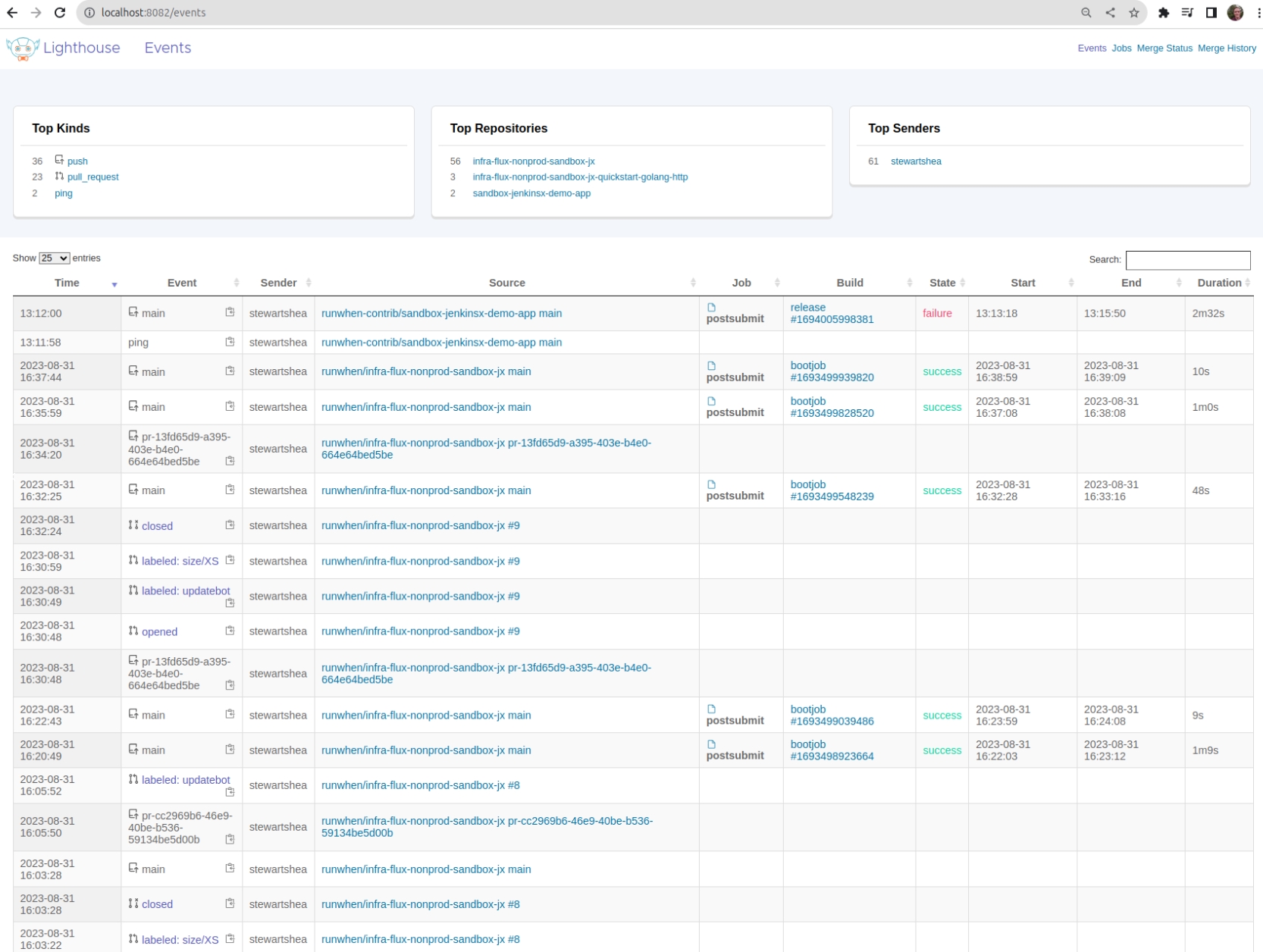
Lighthouse WebUI (port-forwarded to localhost:8082):
kubectl port-forward svc/lighthouse-webui-plugin -n jx 8082:80
-
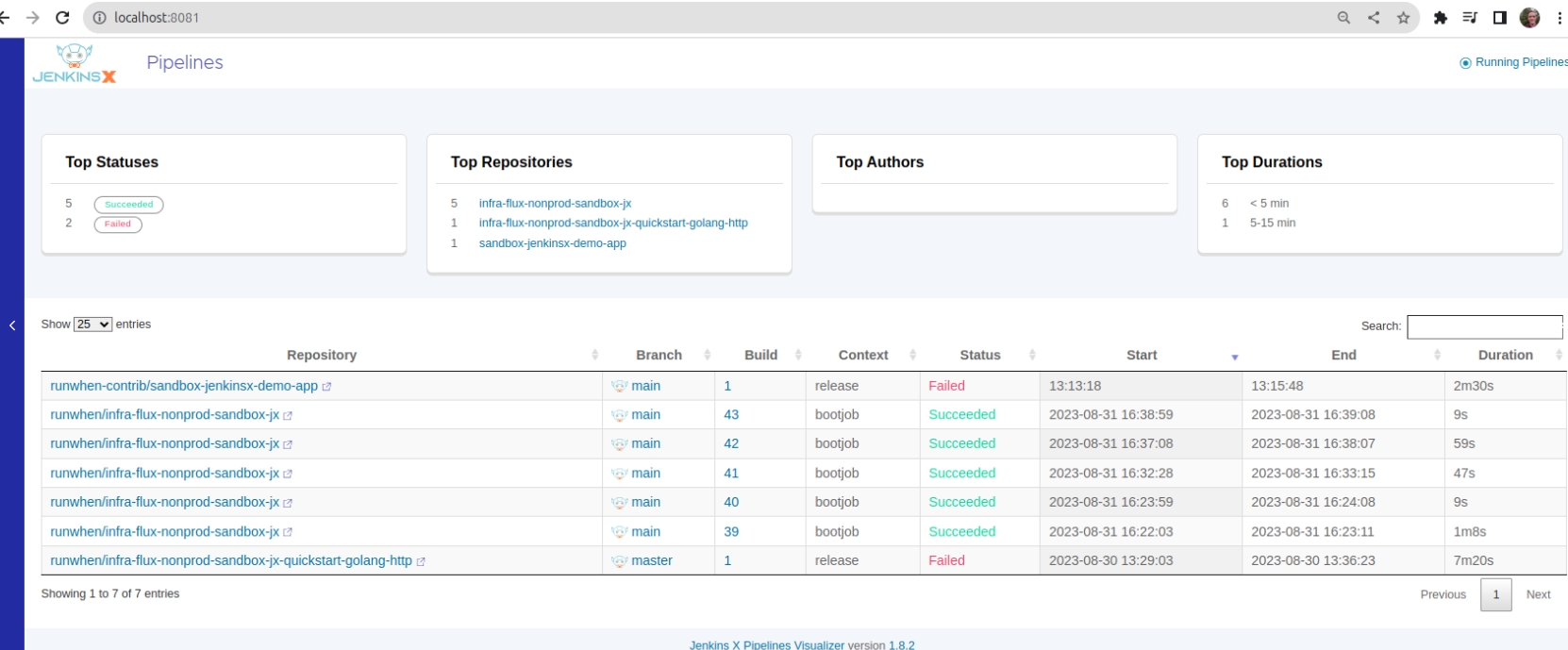
Pipeline Visualizer (port-forwarded to localhost:8081):
kubectl port-forward svc/jx-pipelines-visualizer -n jx 8081:80