

Safe by Design
How RunWhen Deploys Agents That Are Safe for Production
Every engineer is building a DIY agent for their systems. Almost all point an agent at production with a kubeconfig or equivalent. That leads to very quick, high-quality demos, but it overlooks safety and security altogether. Opening up your production systems to agents without a mature harness in place is extremely dangerous.
RunWhen is built on safety as a foundational feature, so we get the most out of agents without risking our production systems. The model reasons freely. What it can actually touch in production is bounded, reviewed, scoped, and audited. Every section below is one of those bounds.
Safe by design, proven at scale
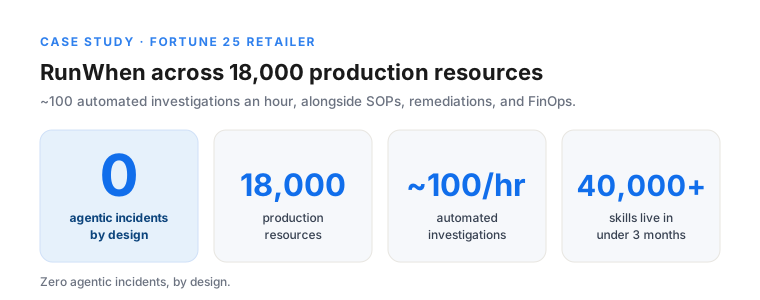
RunWhen has run agents in Fortune 100 production for 500,000+ hours with zero AI-caused incidents.
500,000+ hours of agents in Fortune 100 production. Zero AI-caused incidents. By design.
The rest of this is how that zero is engineered from the ground up, not hoped for.
1. A registry decides what agents can do
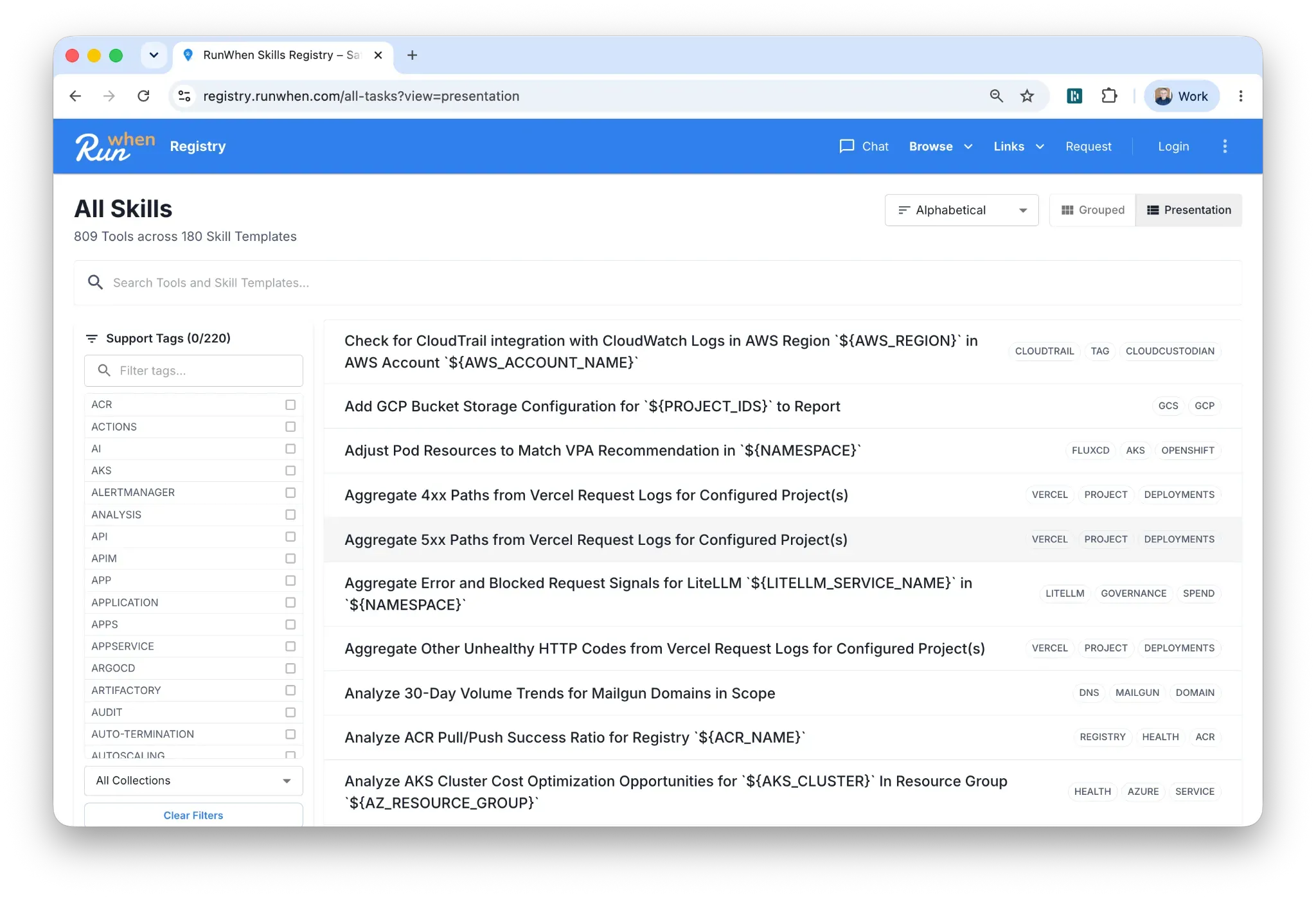
An agent’s reasoning is open-ended. Its actions are not. In production, an agent can only run skills from a registry of pre-built, tested automations. It cannot improvise a command against your API server or invent a new way to touch a system at runtime.
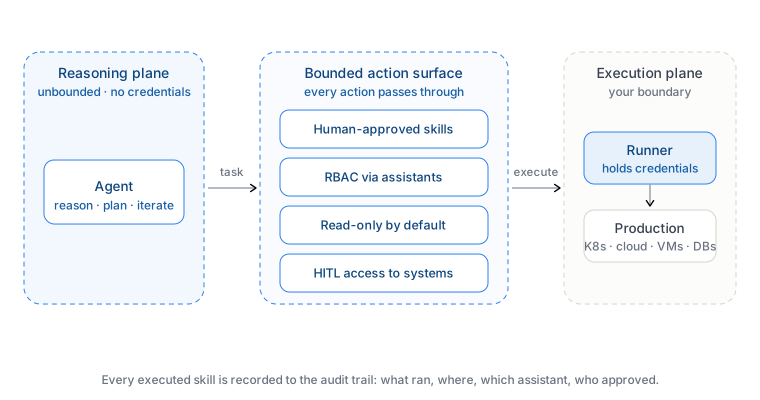
This is the core design philosophy: unbounded reasoning, bounded execution. The model is free to think through a problem however works. The set of things it can execute is a known, finite list you can read before anything runs. A prompt injection can change what the model says. It cannot add a skill that was never in the registry.
2. Every skill is human-reviewed before it enters your workspace
Every skill, and every tool it carries, is reviewed and approved by a human before it is onboarded onto your workspace and made accessible to an agent. Skills are code: tested investigation logic with structured output, versioned like any other code, and slow to change.
So the probabilistic part (the reasoning) changes constantly and touches nothing directly, and the part that touches production (the skills) is deterministic, reviewed, and rarely changes. Model upgrades and prompt edits never widen what can happen in prod.
3. RBAC through assistants
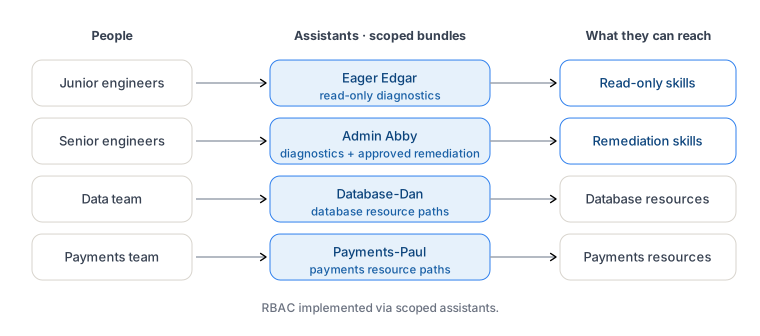
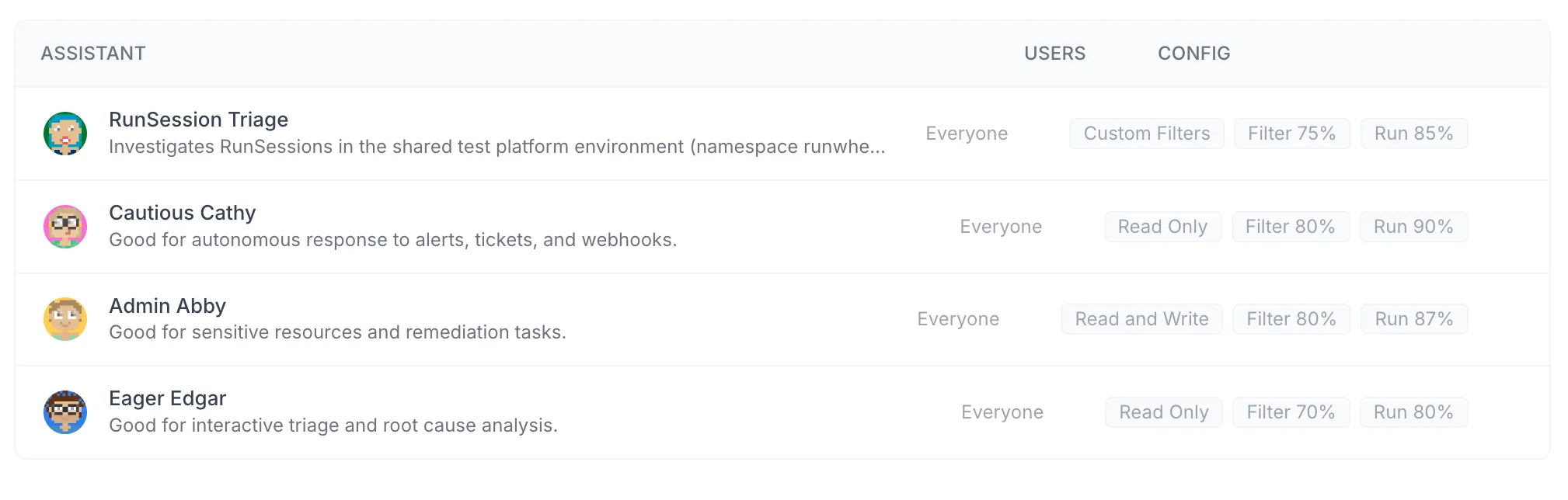
Not everyone should be able to run everything. RunWhen scopes access through assistants: named bundles of skills and permissions you grant to people.
- Eager Edgar goes to junior engineers. Read-only diagnostics, nothing that changes state.
- Admin Abby goes to senior engineers. Diagnostics plus approved remediations.
Scope also follows resource paths, not just seniority. Database-Dan only sees database resources. Payments-Paul is scoped to the payments path. An engineer granted Payments-Paul has no route to the database estate, because the assistant that carries their access was never given one. This is RBAC, implemented via scoped assistants.
4. Read-only by default
The default posture is read-only. When an agent starts, the skills loaded for it observe: they read logs, query state, run diagnostics. Anything that changes your systems is the exception you opt into, never the baseline.
Least privilege is the starting point, not a setting you have to remember. A new agent, a new engineer, a new environment all begin able to look and unable to touch.
5. Human in the loop, with auto-approve when you are ready
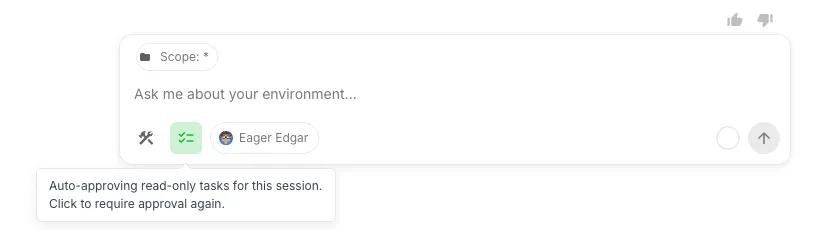
For actions that do change state, execution is human-in-the-loop by default. The agent proposes, a person approves, then it runs. You see the exact skill and target before anything happens.
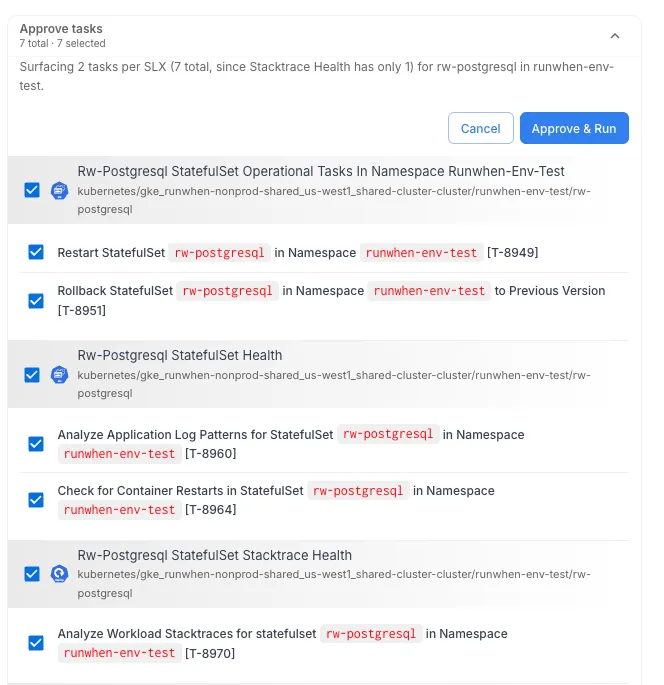
As you build confidence in a specific action in a specific scope, you can move it to auto-approve. Safety here is a dial, not a switch. You go from “approve every remediation” to “auto-approve this known-safe one” per action, on your timeline, rather than trusting or distrusting the whole agent at once.
6. The Agent-Runner pattern
The reason none of the above rests on trusting the model is structural. The agentic loop never holds credentials. A Runner, deployed inside your own network boundary, is the only thing that executes.
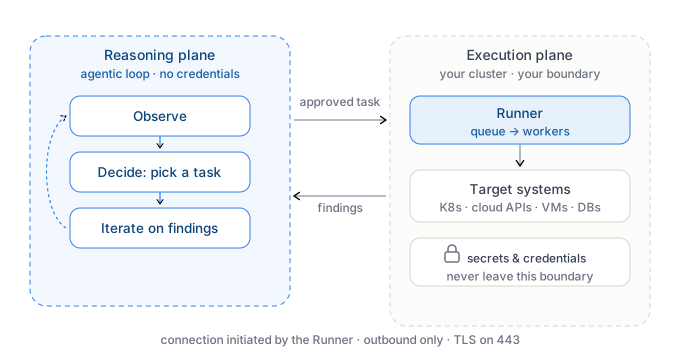
A pre-approved task request goes in. Structured findings come back. All communication is outbound-only, so no inbound ports open on your infrastructure. One Runner per network boundary caps an agent’s reach by topology, not policy: the Runner in your AWS account has no path and no credentials to reach the on-prem data center. Full write-up: The Agent-Runner Pattern.
7. A complete audit trail
Every skill an agent runs is recorded: what ran, where, under which assistant, who approved it, and what came back. You cannot make a probabilistic system deterministic, but you can make every action it takes reconstructable after the fact.
That trail turns “the agent did something” into “here is exactly what it did, and who authorized it.” It is the cheapest safety mechanism to add, and the first one an auditor asks for.
Safe by design
None of these are prompt tricks or guardrail settings a clever input can talk its way past. They are design decisions: a finite registry, human review, scoped assistants, read-only defaults, approvals, a credential boundary, and a log. Together they are why 500,000+ production hours have produced zero AI-caused incidents.
If you are evaluating an agent for production, the questions to put to your current tooling are short. When the model is wrong, what stops it? And can you prove, afterward, exactly what it did?