

How RunWhen Uses RunWhen
A screenshots-first tour of how our own engineers use RunWhen Agents, from on-call triage to FinOps to the CEO’s morning read.
Introduction
Every member of our team — including the CEO — does on-call rotations where they are individually responsible for environments spanning 20+ Kubernetes clusters, 20+ first-party and 20+ third-party microservices.
We practice Google-style SRE, where the expectation is that every month, every person can cite on-call work they did once and then automated (as Agent Skills) for the next person. Like Google SRE, most of these are diagnostics that are fast to automate and have compounding value in finding where issues are — and where they are not. Nearly all of this work landed in our public library.
Along the way, the team discovered we were using RunWhen Agents for far more than incidents and on-call triage. We need to cover not only software development but also cloud infrastructure engineering, DevOps, SRE, platform engineering, observability engineering, FinOps and database engineering. When needed, we use RunWhen Agents to fill in the gaps.
What follows is a screenshots-centric overview of how members of our team have adopted RunWhen Agents into their day-to-day engineering work. Every section below has its own short anchor link, so you can send someone straight to the part they care about.
Context: a massive library of Agent Skills
All of the Agents you see in these screenshots are powered by our library of Safe-For-Production Skills that we have verified and battle-tested in at-scale environments over the last two years.
The environments in this post represent roughly 3,000 Skills from our library (infrastructure, platform OSS, generic log analysis) and about 30 that our team wrote specific to our own applications’ APIs and data.
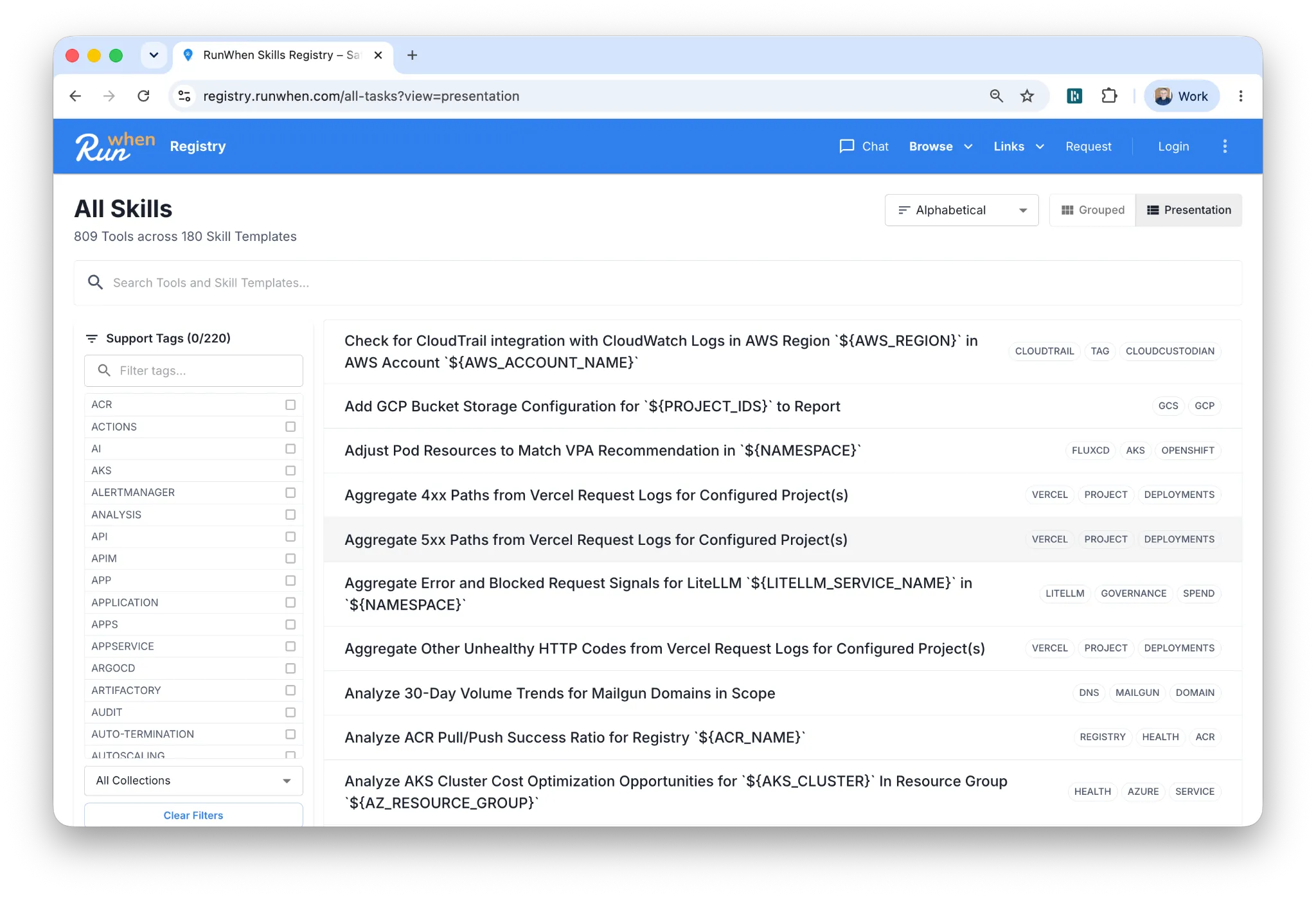
Our experience running RunWhen ourselves with 3,000 library Skills and 30 application-specific Skills is exactly what led us to offer our professional services basic engagement, where a forward-deployed engineer from our team helps you import thousands of Skills from the library and build 3 Agents and 30 Skills specific to your APIs and data in 30 days.
SRE, cloud infrastructure and platform engineering favorites
The cloud infrastructure team covers cloud infrastructure, SRE, platform engineering, observability and more. They operate with a strategic project backlog ranging from FinOps optimizations to zone/region/cloud-provider expansion, dev environments and integrations.
The team lives in Slack, hates alerts and loves RunWhen daily newsletters. They run their Agents 24x7, storing Skill results in RunWhen’s structured (token-optimized) memory. Most of their questions are answered from memory; some are answered by running Skills again to get fresh data.
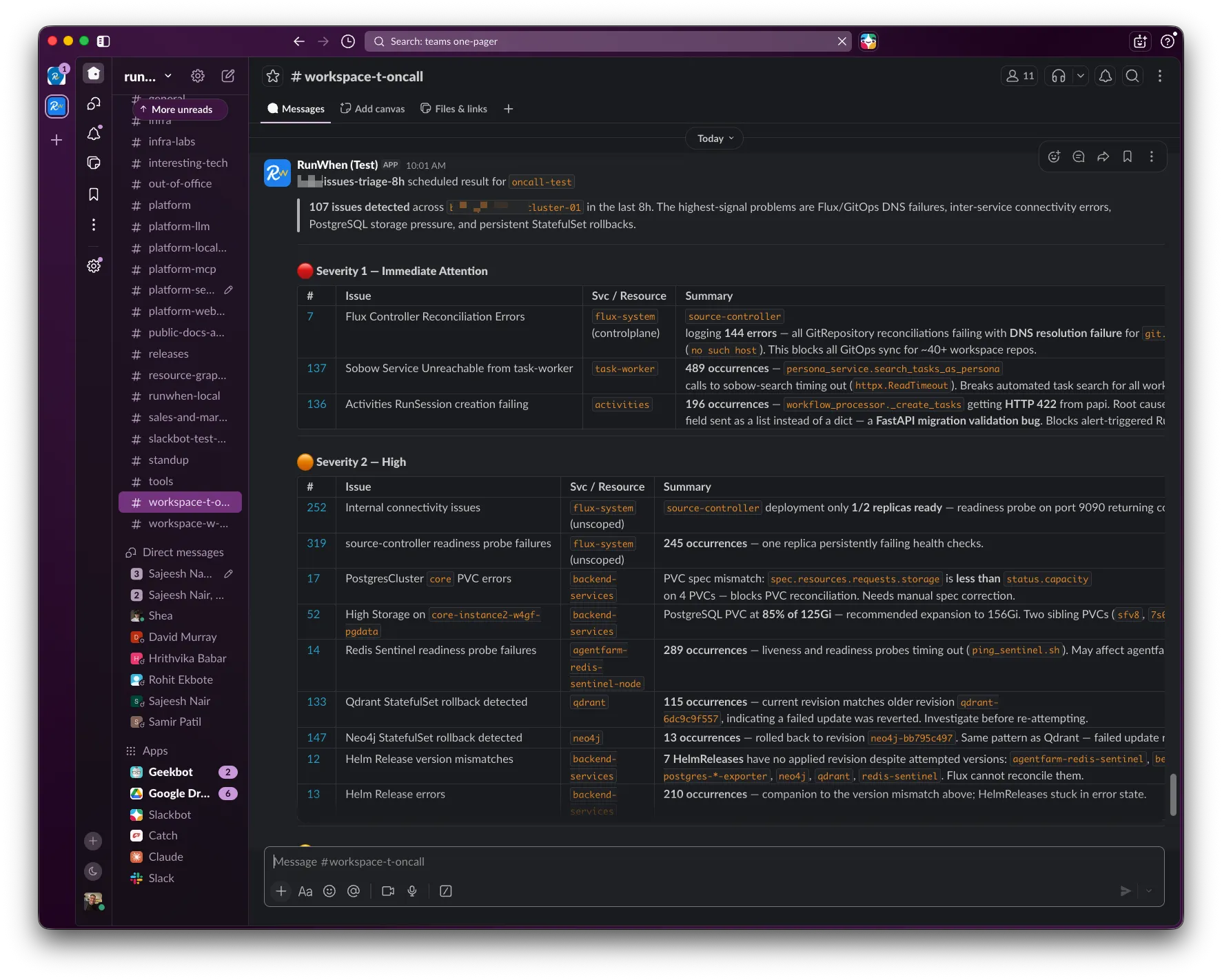
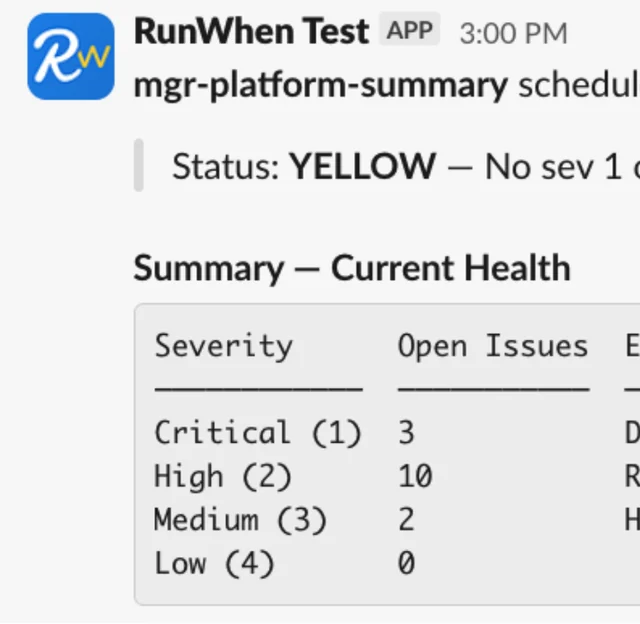
The daily issue triage report that replaced thousands of alerts
The team has dramatically reduced its use of alerts and dashboards, because neither helps prioritize work. Instead, they rely on a daily newsletter written from their Agents’ memories, using a prompt they curated for issue triage.
This has let the team be disciplined about how they use their time and proactive about issues gradually bubbling up across a broad set of environments — 22+ clusters, 3 clouds, 120+ service instances — before those issues become outages.
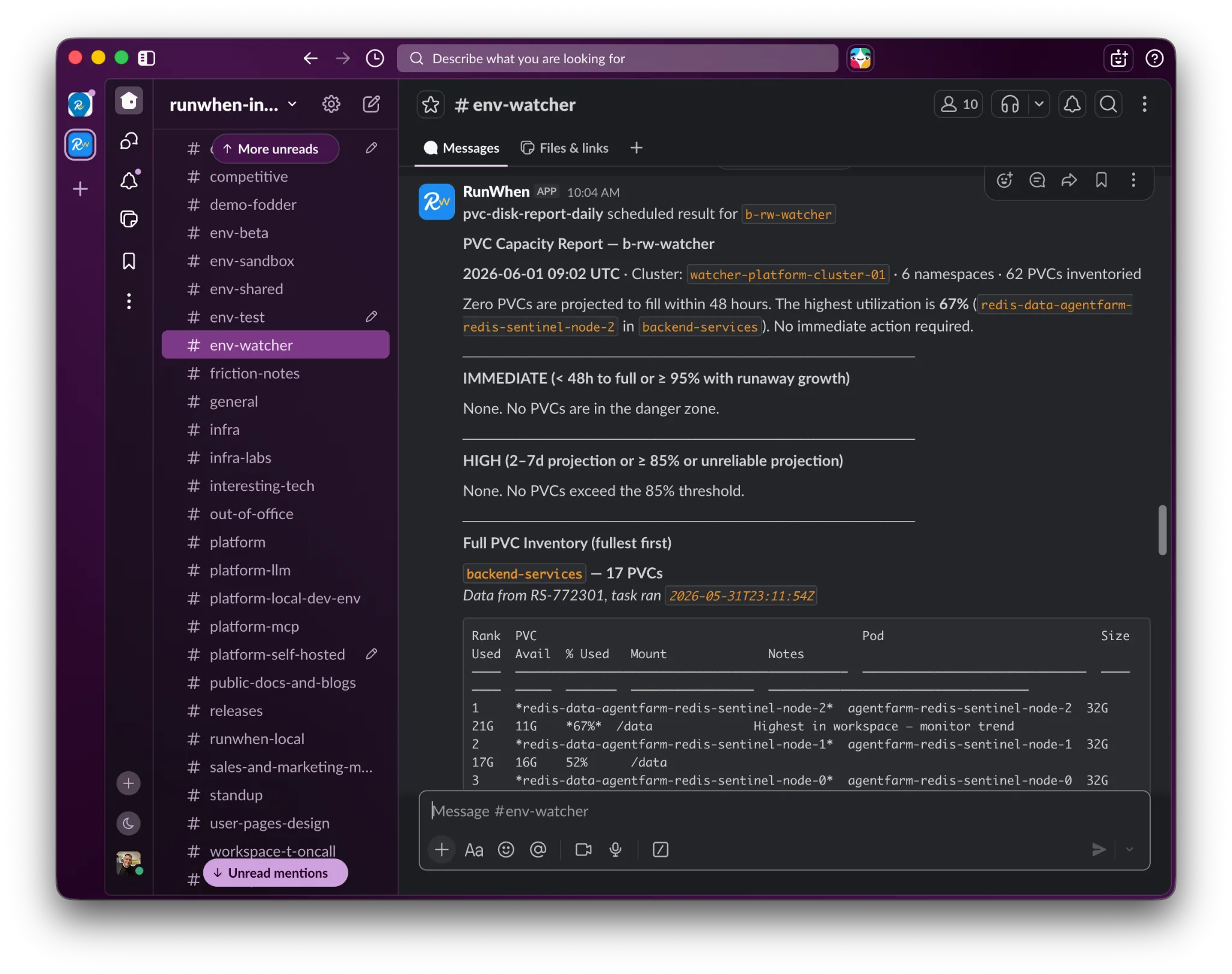
The storage daily newsletter for proactive infrastructure work
The newsletter below comes from a prompt that runs daily. It allows a small group of busy engineers to proactively cover 62+ storage volumes with no dashboards and only rare critical alerts.
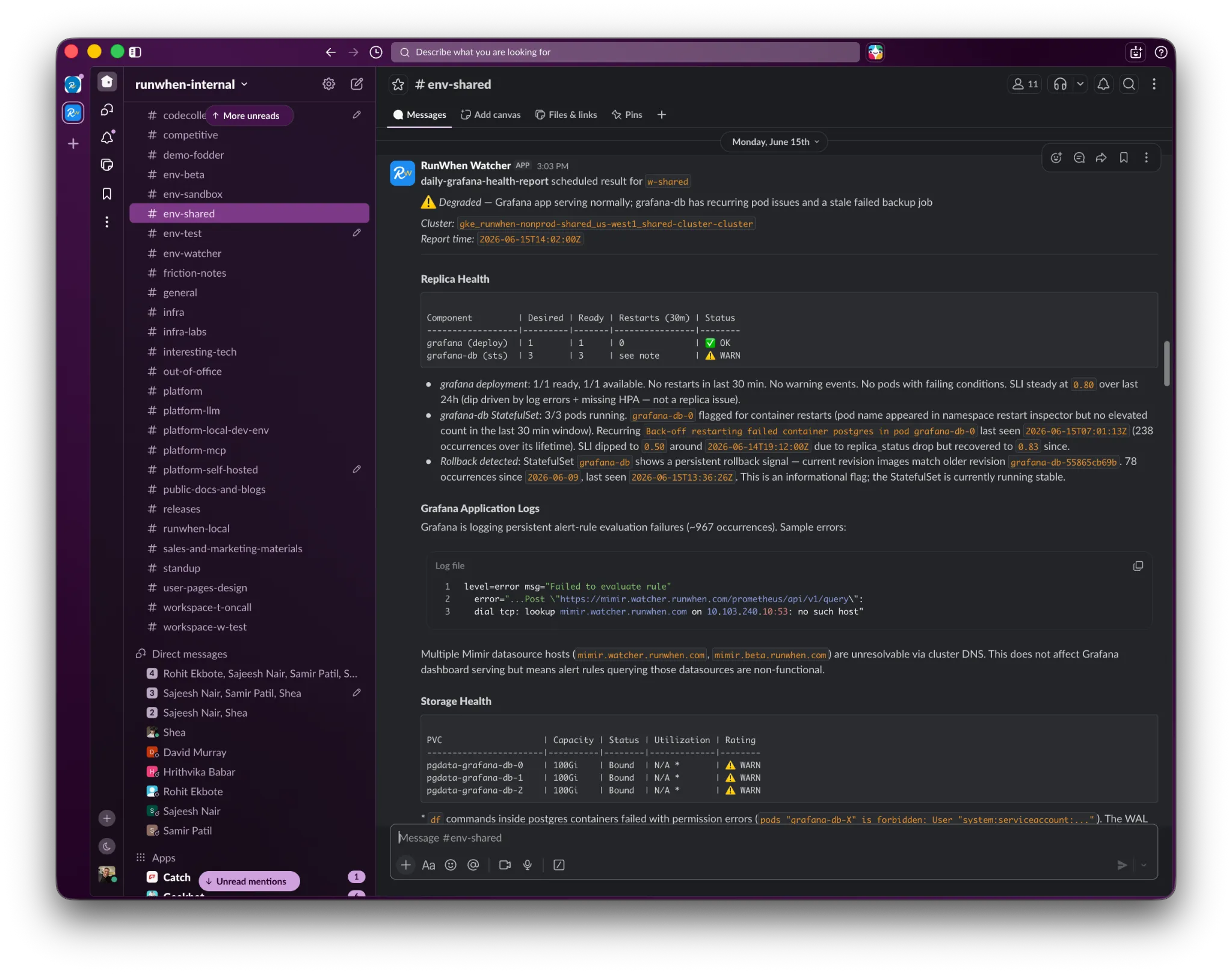
The Grafana stack daily newsletter and Grafana remediation Skills
Self-managed Grafana stacks are notoriously labor-intensive to maintain. The team’s Infra Agent sends daily newsletters summarizing Skill output relevant to this stack, ranging from Grafana’s application logs through Kubernetes health checks and all the way down to underlying storage health.
Their remediation Agent can expand storage volumes, perform emergency restarts and run other proactive and reactive workflows suggested by the general Infra Agent. That makes it possible for anyone — not just the infra team — to maintain this stack without spending the time to become experts in it.
SRE rapid root cause analysis and question-answering in Slack
As a small and highly leveraged team, our SREs do not have time to go hunting through logs, metrics, traces, dashboards, configurations and their own notes across the 20+ first-party and 20+ third-party microservices in every environment.
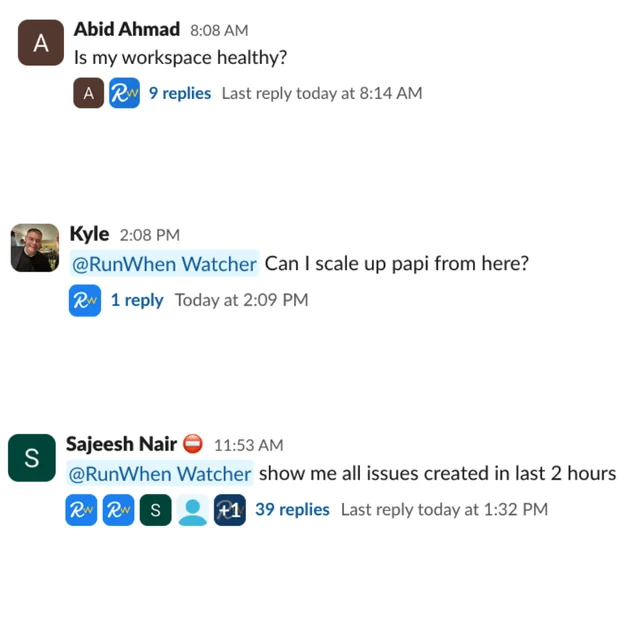
Instead they ask questions in Slack. The Agents answer from memory, and offer to refresh the data by re-running the relevant Skills if needed.
A few of the common questions from just the last week:
- Why am I getting errors when I try to do ______?
- Is ______ healthy?
- Are ______ and its upstream services and underlying database all healthy?
- Has any configuration for any service in the namespace ______ changed in the last 24 hours?
- What is going on with the clusters in us-west-1a right now?
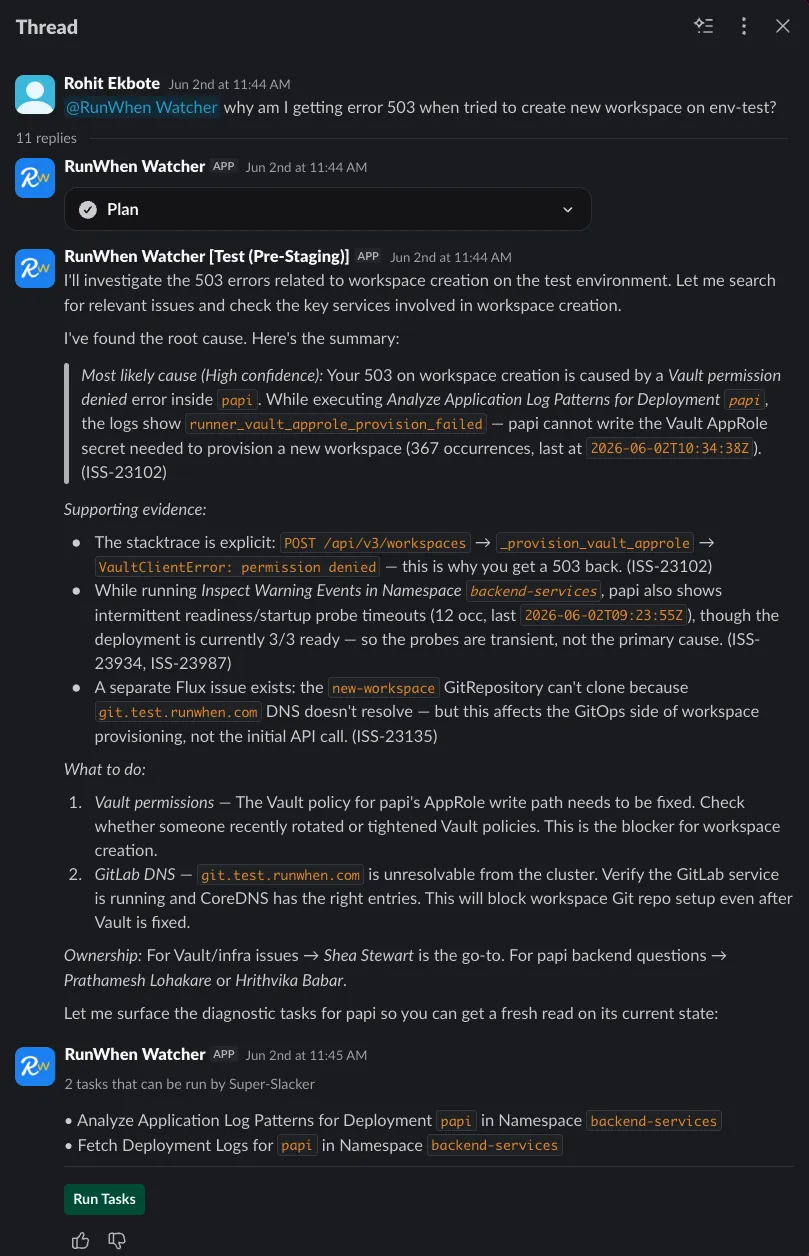
There are instances of this Agent and its Skills in both the production environment (used mostly by SREs) and in the shared test environment (used mostly by developers). The developer version is shown further below.
Fast FinOps question-answering, along with reports and actions
Our team does not have time to manage specialized FinOps vendor products, and we need to span Kubernetes, serverless and VMs alongside major cloud services across all three major clouds, thanks to the diversity of our testing and Skill-authoring environments.
We do have time, however, to set up RunWhen Agents and vibe-code quick account billing downloads. That is enough for our Agents to build reports and answer a large range of the questions we need to make capacity decisions.
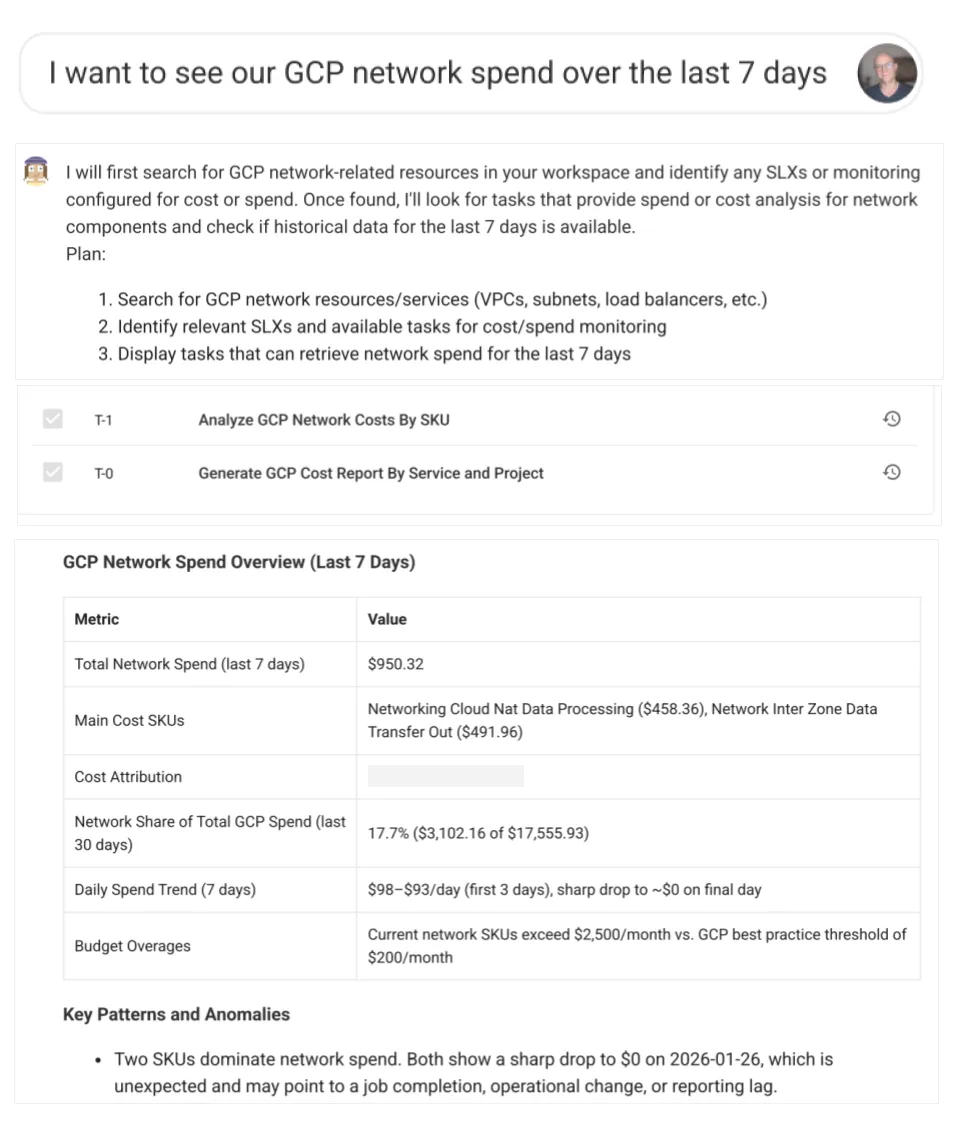
Because the FinOps reporting, question-answering, capacity re-sizing and health checks all sit in the same tool, the team doesn’t even need to change windows to ask a few questions, modify capacities, health-check the results and move on with their day.
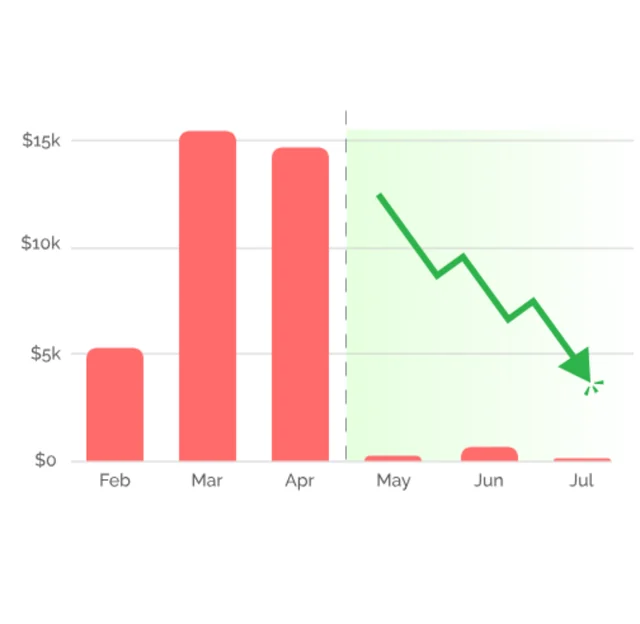
This lets us take advantage of small FinOps adjustments — $2–3k — in a few minutes, where teams that have to coordinate across multiple tools simply don’t find the ROI to make changes that small.
And they add up.
The team using these has grown our total RunSession throughput — our unit of scale — by a factor of 10x, with cloud costs going up by less than 2x.
VP Engineering favorites
The System Readiness Agent’s standup update
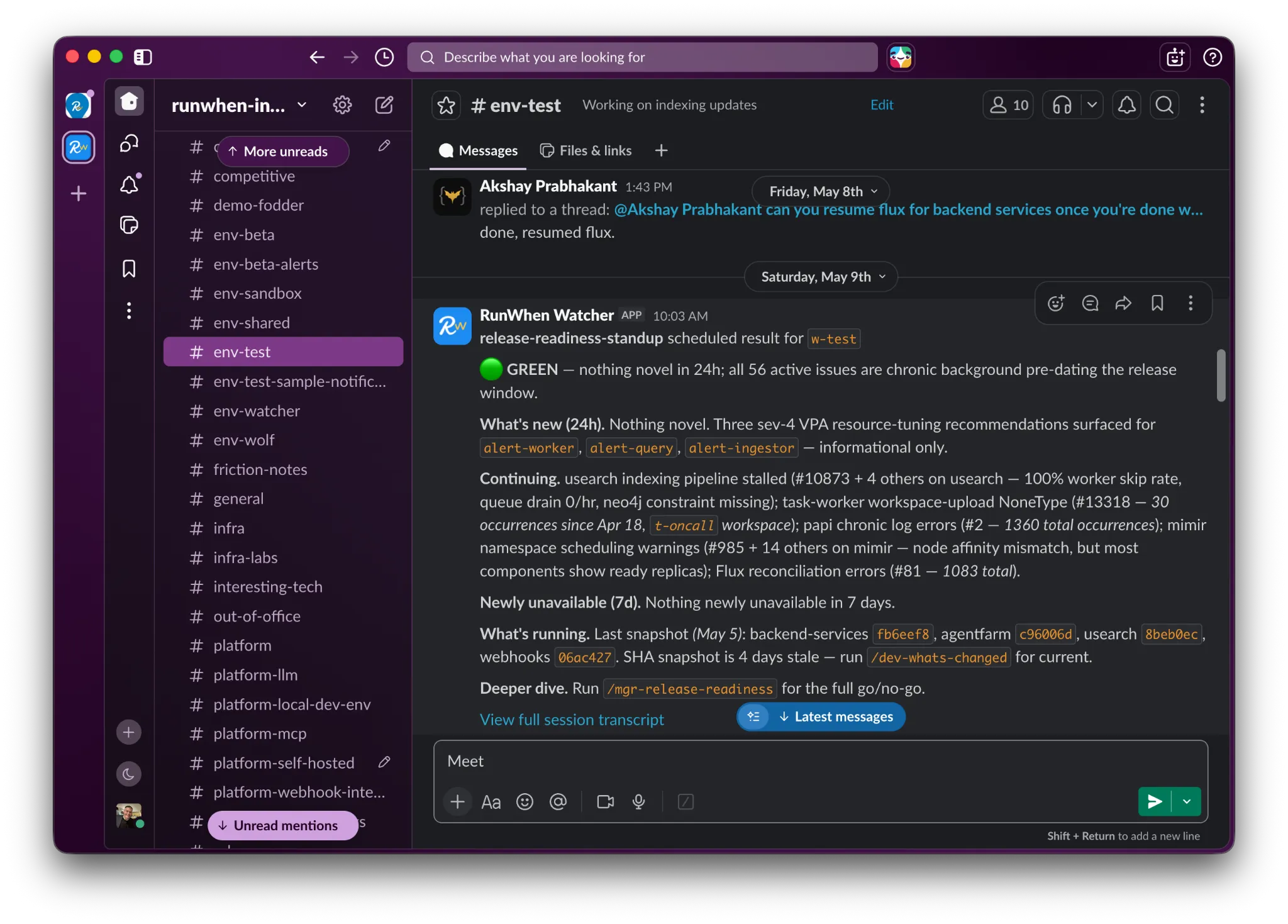
Just before our daily tech lead standup, our VP of Engineering has a RunWhen Agent read out the state of the release candidate currently sitting in a test environment, where realistic traffic volumes are constantly flowing.
He wants his team to see new issues, lingering issues and shared services that are unavailable, since any of these may be blocking his developers. Those get special attention.
This isn’t software testing. This is a system readiness review — the combination of software, infrastructure and external services that need to come together, with realistic traffic providing real load.
Not only has it ensured that developers get unblocked:
This approach has caught 40+ incidents before they shipped to production that Claude with Opus missed.
Developer favorites
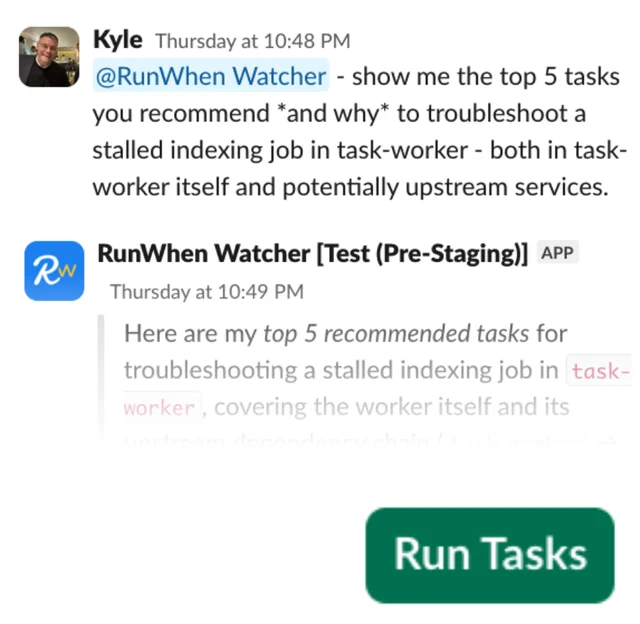
Developer self-service — ask me anything
This one is loved by developers and the platform team alike. The Platform Agents in the shared test environment answer questions from memory or from current Tasks. They have Tasks for both infrastructure and application diagnostics, as well as a number of specific database queries that answer common questions from the team without interrupting anyone’s work.
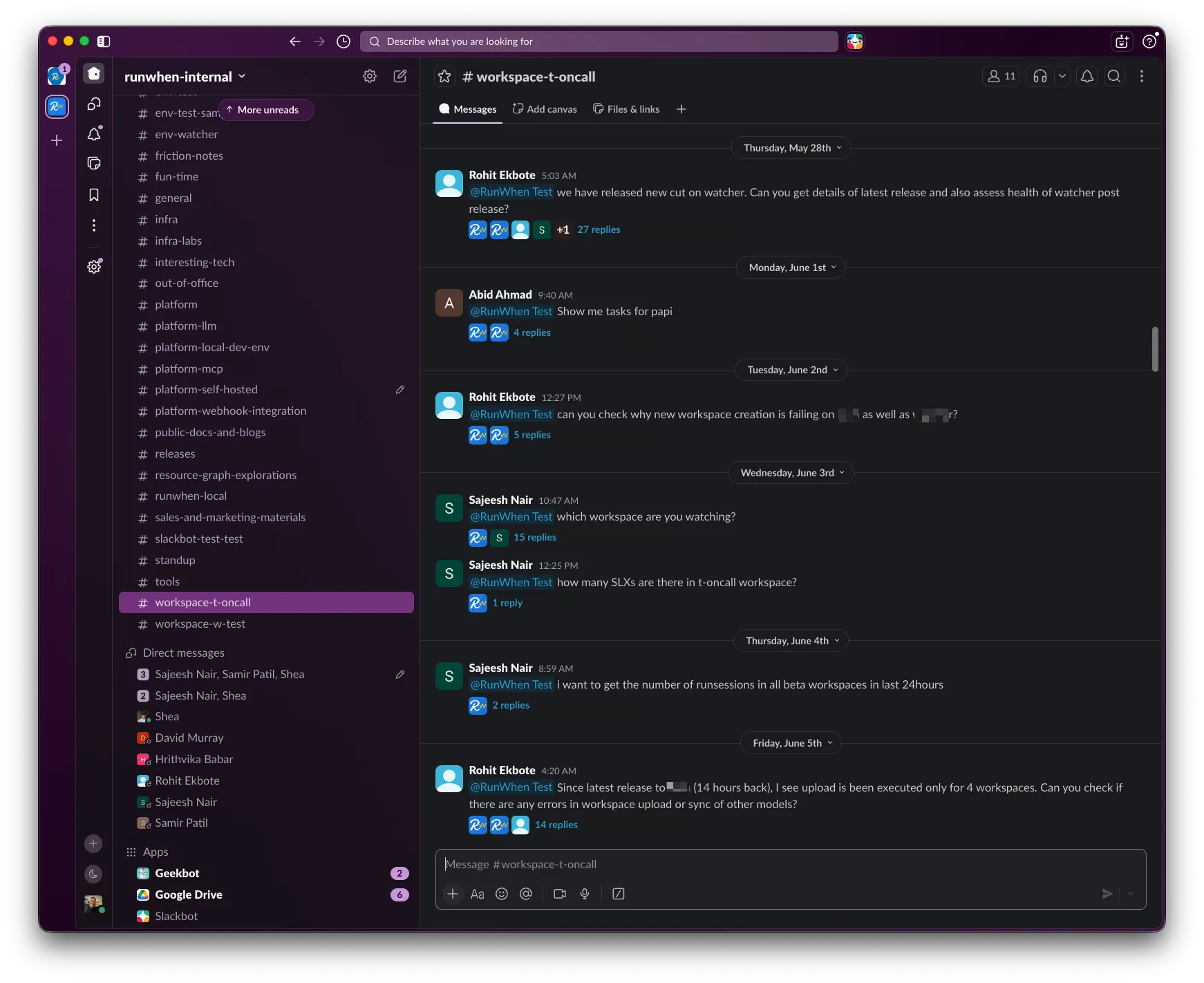
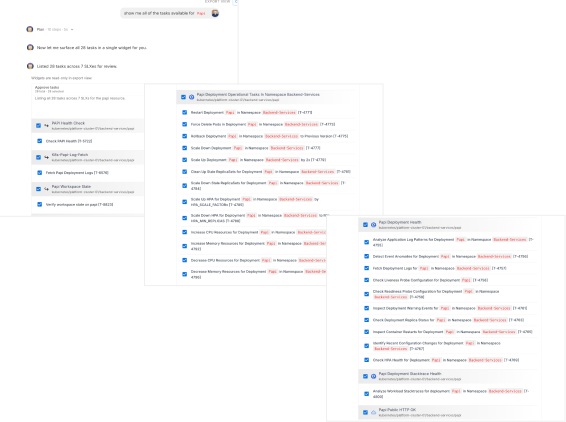
Developer self-service — automation search and recommendations
Our VP of Engineering also appreciates that all of his developers can use a dev RunWhen Agent as a search engine, to find every Agent Skill (automation) we have loaded across test, staging and production.
We believe developers need safe production access to make good decisions.
We have over 3,000 Skills in the test environment. Thirty of them are custom; the rest came from our template library and were imported when we first pointed RunWhen at the environment.
No waiting on a #platform-help channel. No wondering whether they’re allowed to run these. With strong Agent RBAC, if a developer can see the Agent and the Agent can see the Skill, it is safe for them to run.
Developer self-service — federating troubleshooting expertise
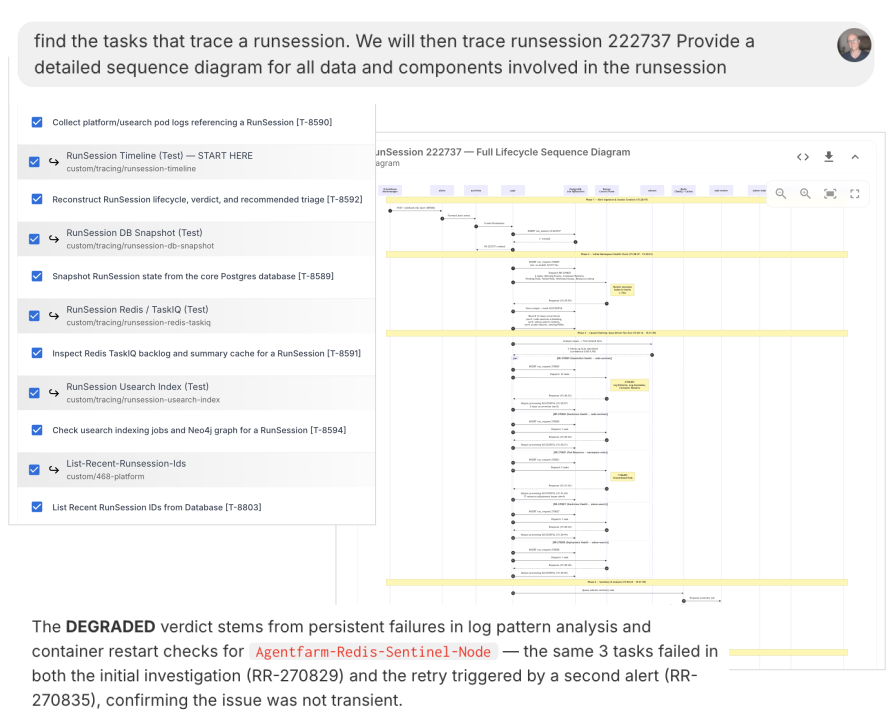
Similar to some transactions in financial services applications, or inventory records in retail, we have data objects with complex lifecycles that span multiple teams, multiple microservices and multiple datastores.
Each team contributes a Skill to troubleshoot its particular part of the object’s lifecycle.
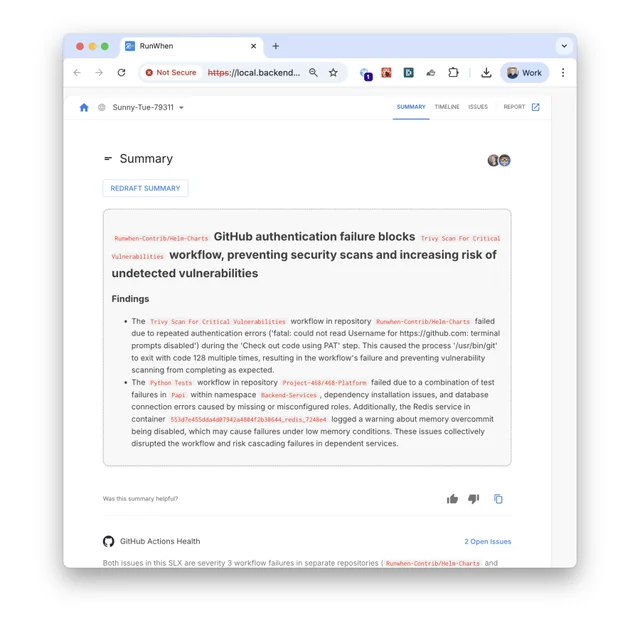
Then any engineer or any engineering team — not just software development — simply asks an Agent to run them all and piece together the findings into call-flow diagrams, root cause analysis reports and tickets when these objects get corrupted.
Before we had this habit, a RunSession data corruption issue inevitably required 4–5 engineers across two timezones to root-cause across both code and infrastructure. Yuck.
DevOps and QA favorites
Highly researched CI/CD failure tickets
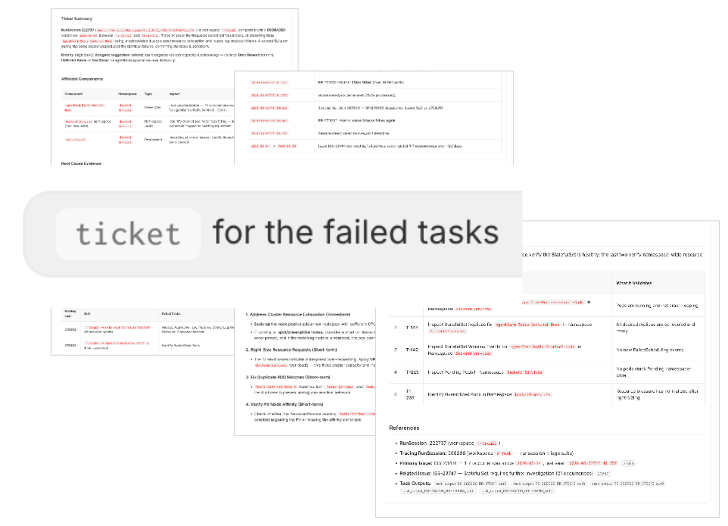
When a test (task) fails in our CI/CD pipeline, our QA lead uses a RunWhen Agent to do a deep analysis and write up a ticket, using a /ticket prompt he has saved.
Developers then see tickets with a vast amount of information:
- Lines of code likely at fault, from stack traces
- A timeline of events the Agents found in nearby Skill output that are likely relevant
- The health of surrounding services and infrastructure, from other Skills running at the time
- The Skills available to RunWhen Agents that are relevant to verifying the code after they make a fix
We have tuned this to be exactly the kind of rich context that developers’ coding Agents need to make fixes, verify them, and expand tests so the issue doesn’t happen again.
Release content documentation
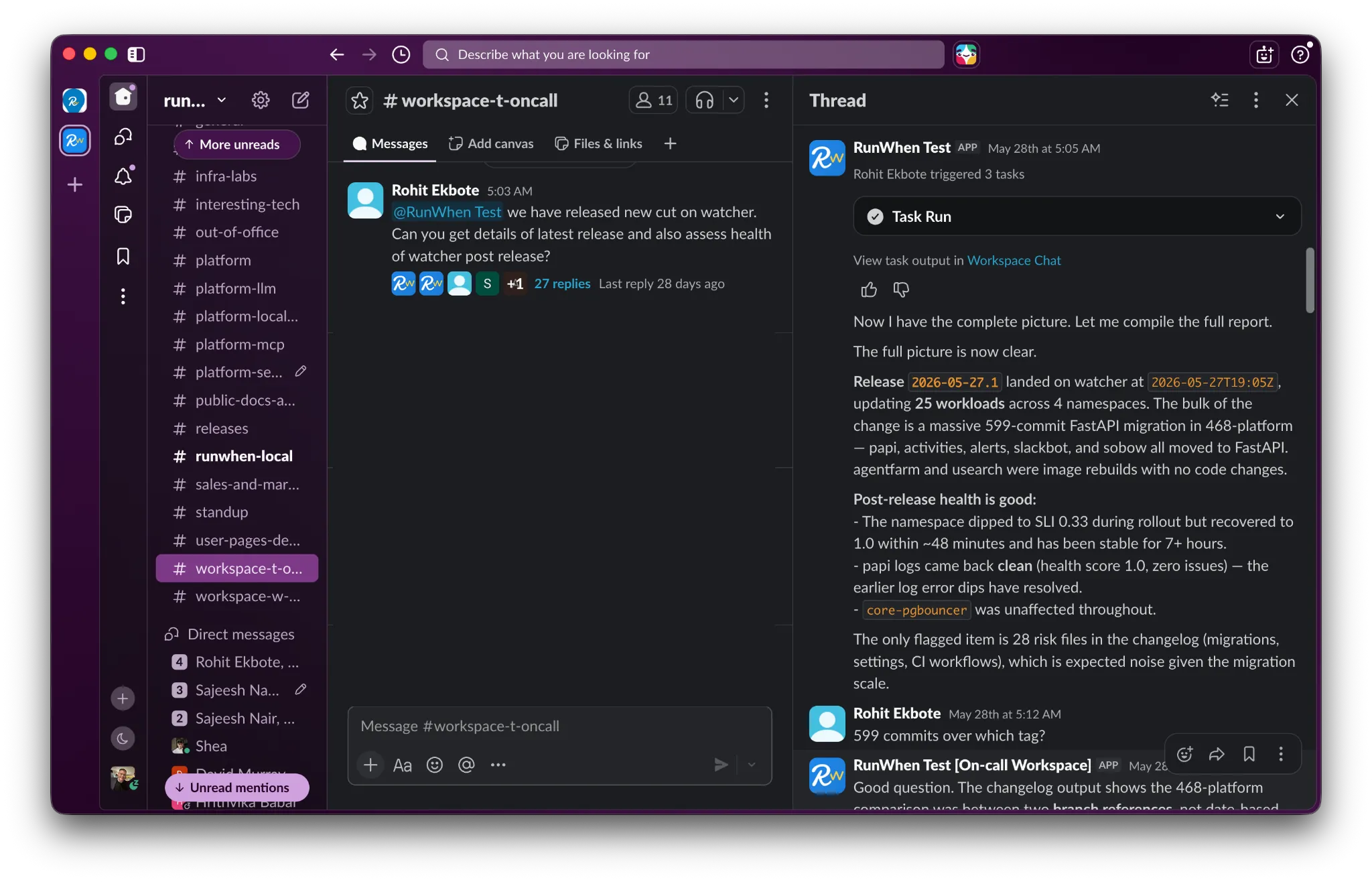
Our QA tech lead uses his RunWhen Agents as we promote new releases up to environments running at-scale traffic volumes. He uses them both to create documentation snippets on release content and to get a quick view of the health of the release under load.
It’s similar in spirit to the tech lead’s release readiness newsletter, but run on demand, to scour the results of relevant Skills that have been running every few minutes in the background.
Kyle’s favorites (CEO)
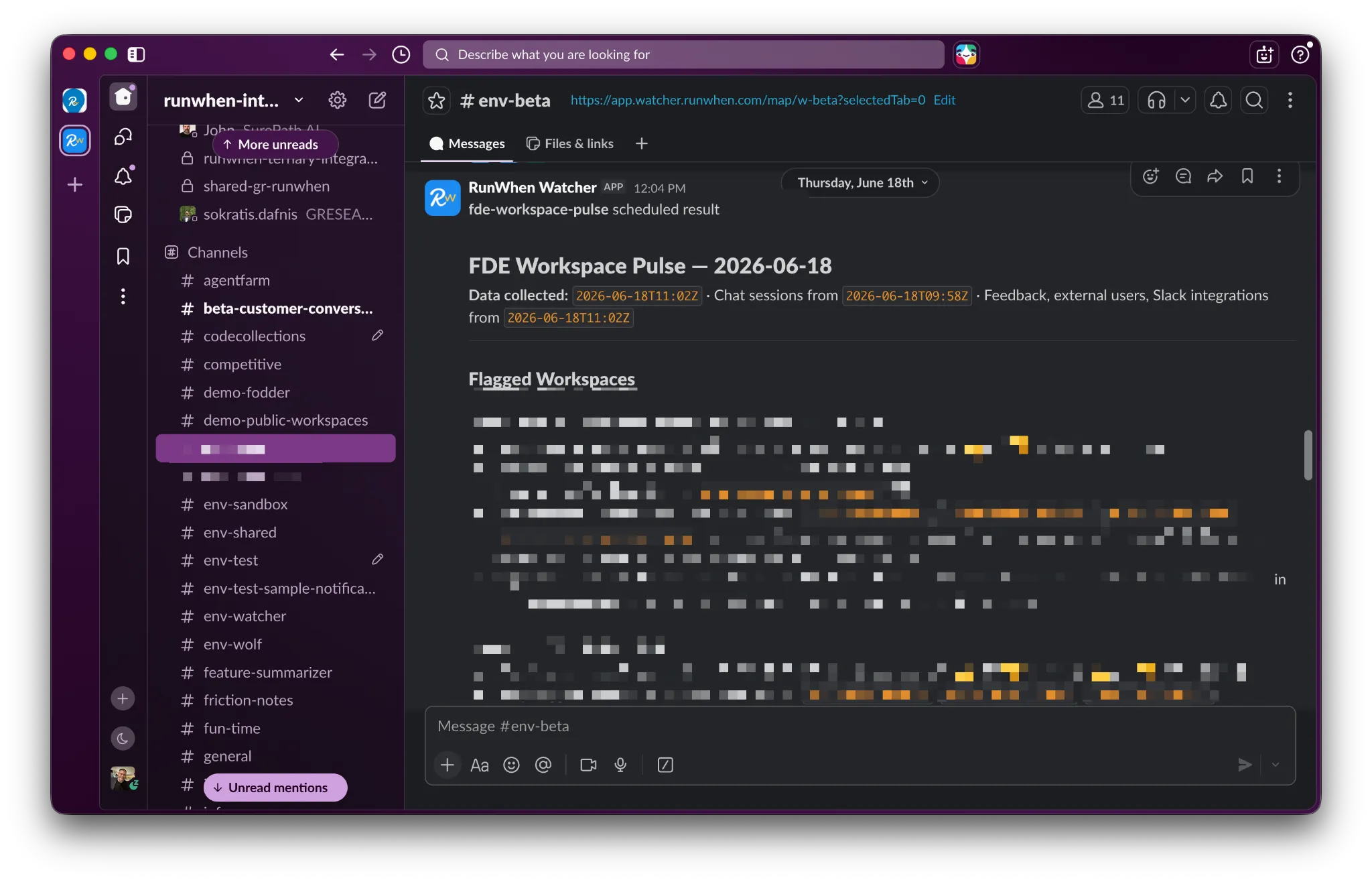
The user satisfaction and predictions daily newsletter
Our SaaS databases hold a large number of metrics that correlate with user satisfaction. Rather than build separate business intelligence dashboards, my Agent is set up to make safe queries into our production data and give a daily read-out of the customer workspaces where we may have issues to address.
With very little work in the prompt, LLMs turn out to be very good arbiters of the “common sense” we use to flag a pattern that likely indicates a user is experiencing friction with their RunWhen Agents.
There’s a lot we can do about it — informal training, customer-specific prompt tuning, new features and more. This Agent surfaces all of that in a consumable way, so a quick glance between meetings is enough to make decisions.
A few client favorites
Every team has a different set of strong skills and a different set of gaps where there simply aren’t engineers to cover. When leaders can’t add headcount, or need the time to hire well, these Agents have been particularly popular among our clients. Every Agent is bespoke, but all of them are built on the shared library of Skills.
For operations teams and production environments — drive immediate operational excellence and business impact for teams short on SRE, L1 support and FinOps experts.
For pre-production and developers — drive operational excellence for teams short on people covering non-production environments: non-prod SRE, non-prod infrastructure engineering, observability and QA.
If any of these look like a gap on your team, get in touch — and take a look at the Skills Registry to see what you’d be starting from.